76
Setting Up the Printer (Continued)
Connection and Adjustment
PICTURE Menu
The PICTURE main menu consists of the following sub menus. These sub menus
allow you to adjust the printouts and select the paper type.
PICTURE menu
Contents of functions
Selects the paper type.
Sets the desired printing tone.
Sets the printout to either positive
printout or negative printout.
Obtains greater printout
sharpness.
Selects either frame mode or field
mode.
Adjusts the printout brightness.
Adjust the printout contrast.
PAPER TYPE
Selects the type of printing paper to be used.
TYPE 2: Thermal paper UPP-210SE/210HD
TYPE 3: Thermal film UPT-210BL
For details on the printing paper, see page 97.
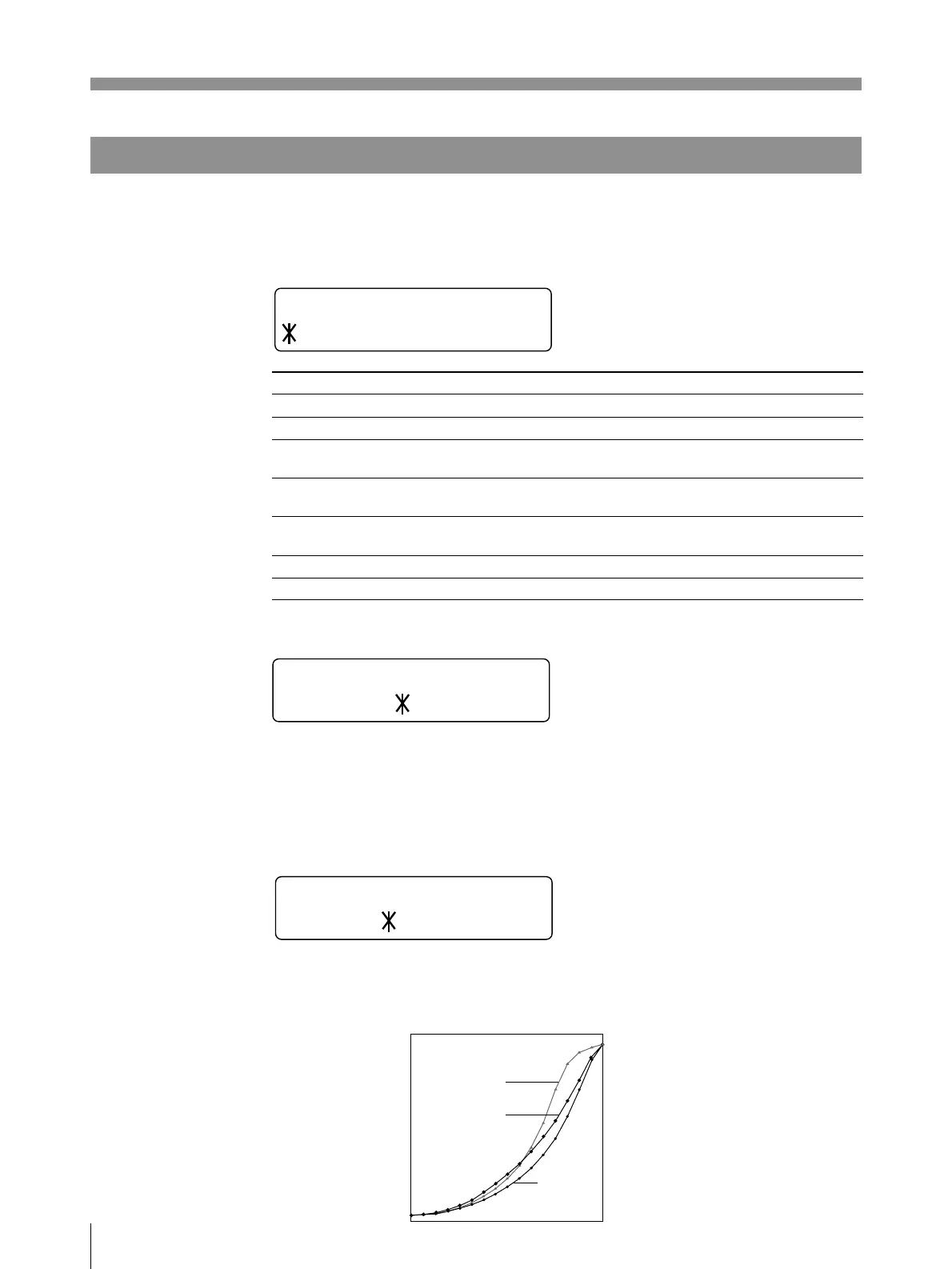
GAMMA CURVE
Sets the printing tone to one of TONE 1, TONE 2 or TONE 3.
The diagram below shows the curve of each tone for your reference.
MENU
LAY /PRT
PCTUREI
/
PAPER TYPE
2/ 3TYPE
GAMMA CURVE
TONE 1 / 2 / 3
Ref. page
76
76
77
77
77
78
78
Factory setting
2
1
POSI
OFF
FRAME
0
0
Sub menu (Item)
PAPER TYPE
GAMMA CURVE
IMAGE
SHARPNESS
MEMORY
BRIGHTNESS
CONTRAST
Low
High
Print density
Gradation
TONE 1
TONE 2
TONE 3
0 255



 To Next Page