71
Operation
Cutting the Paper Manually
In the auto cut mode, the paper is automatically cut each time the printing is
completed. However, if you want to print several pictures without cutting the
paper, you can cut the paper at any position desired.
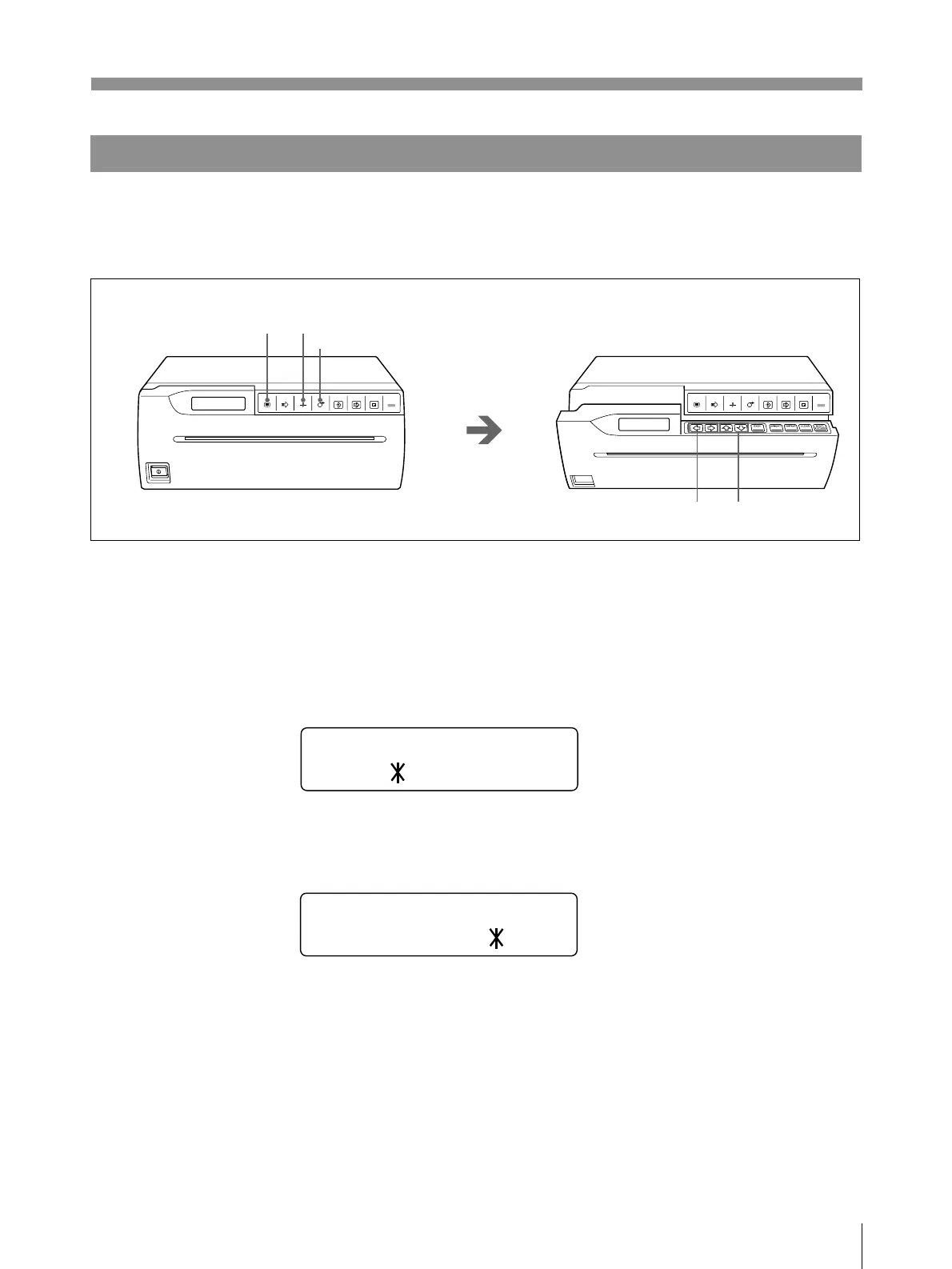
1 Press the MENU button.
The door panel opens slightly and the sub panel appears.
The main menu appears in the printer window display.
2 Display the PRINTER menu by pressing the ı or ∫ button.
3 Display the AUTO CUT sub menu by pressing the ◊ or √ button.
4 Set AUTO CUT to OFF on the AUTO CUT sub menu of the PRINTER main
menu
The printer enters in the auto-cut off mode. The printer is in this mode until you
change the auto cut mode setting.
5 Start printing.
Press the PRINT button to print the image or press the COPY button to print
images stored in memory, and make the desired number of printouts.
OPEN/CLOSE
PRINTCOPY
CAPTURE
FEEDCUTSKIPMENU
OPEN/CLOSE
PRINTCOPY
CAPTURE
FEEDCUTSKIPMENU
1
2
3
6
FEED button
AUTO CUT
ON / OFF
AUTO CUT
ON / OFF
Continue to next page m



 To Next Page