73
Connection and Adjustment
Introduction
Connection and Adjustment
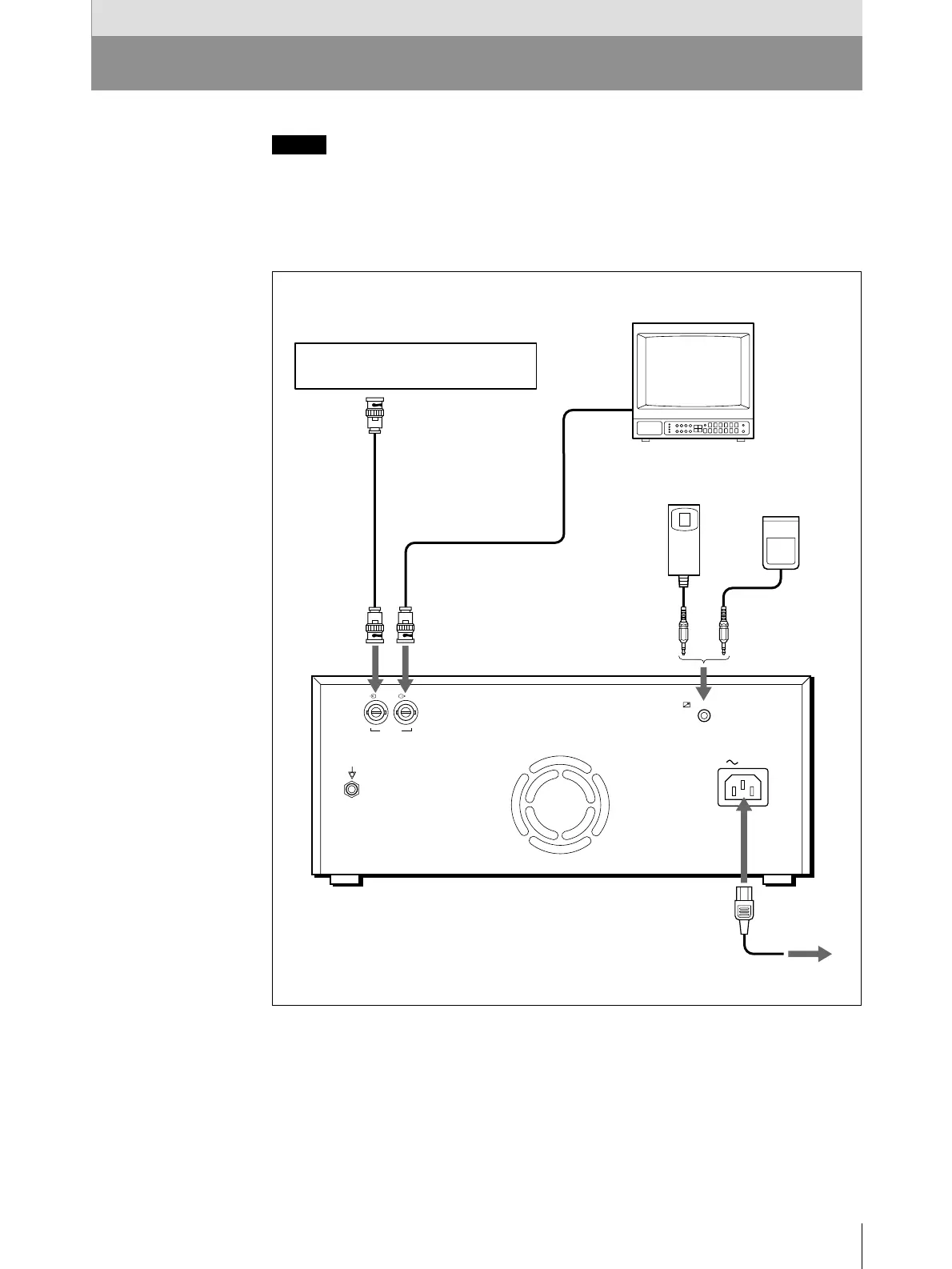
Connection
Notes
• Turn off the power to each device before making connection.
• Connect the AC power cord last.
• Before making connections, see “Important safeguards/notices for use in the
medical environment” on page 54.
REMOTE
AC IN
VIDEO
IN OUT
RM-91 remote
commander
(not supplied)
or
FS-20 foot
switch
(not supplied)
Video equipment/medical
diagnostic appliance
to REMOTE
to video output connector
Coaxial connecting
cable (supplied)
to VIDEO IN
Color/black and
white video monitor
Connecting cable
(not supplied)
to video
input
connector
to VIDEO OUT
to AC IN
AC power cord
(supplied))
UP-980/980CE
to wall outlet



 To Next Page