12
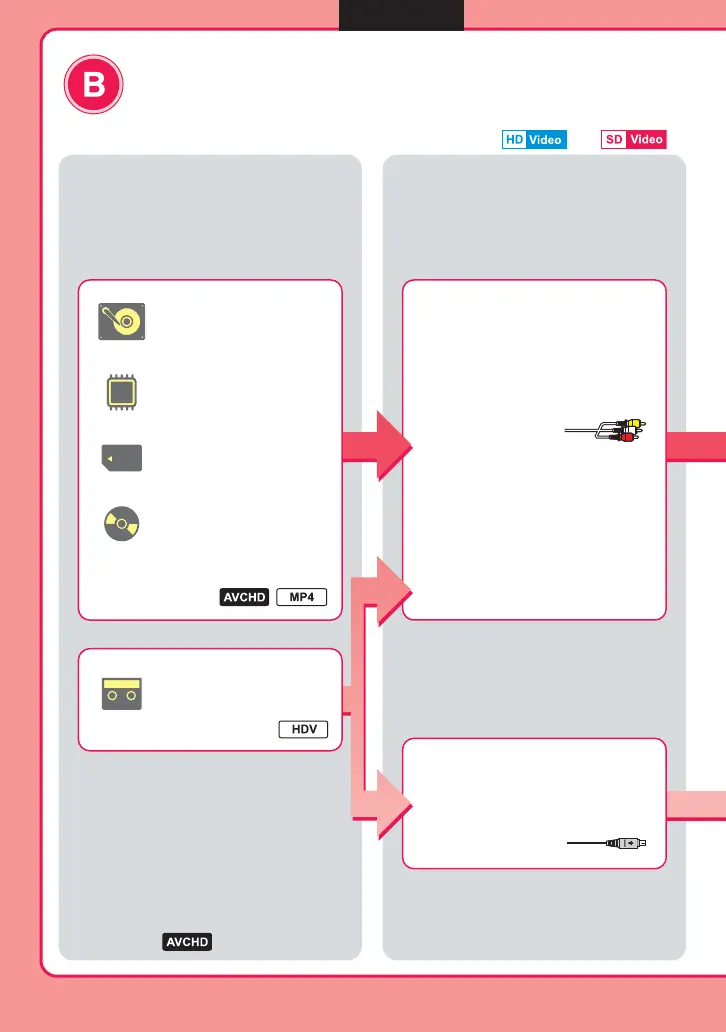
Type of copy mode
Down-convert HD video to SD video quality
Copy videos taken in HD (High Definition) image quality onto a disc in
SD (Standard Definition) image quality for more compatibility with
various playback devices.
What is recording media
of your camera?
Connection and setup
HDD
Built-in memory
8cm Disc
Memory Card
DV tape
b page 33
b page 32
Use an AV cable*
Use a DV (i.LINK) cable*
Set the [i.LINK CONV] setting on the
Handycam
®
to [ON].
12
Videos
b Note
• You cannot copy video by connecting a
camera via a USB cable.
* Cables supplied with camera or sold
separately.
b
, etc: type of format



 To Next Page