28
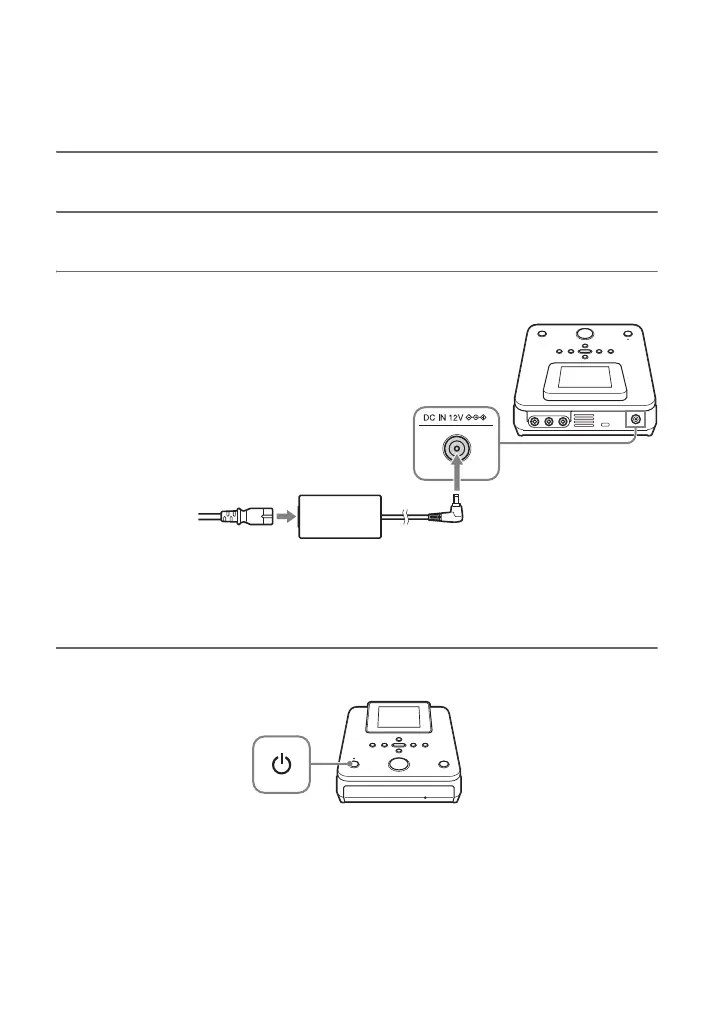
1 Connect the supplied AC power cord to the AC adapter.
2 Insert the power plug of the AC adapter into this unit’s DC IN connector.
3 Insert the power plug of the AC power cord into a power outlet.
b Notes
• Be sure to use the supplied AC power cord and the AC adapter.
• Do not use damaged cables, such as cables with deformed connectors.
4 Press the 1 (power) button.
After the display window lights and this unit’s logo appears, the on-condition screen
appears.
Preparations for Recording
Turning the Power on
To DC IN
connector
To power outlet
AC power cord
AC adapter



 To Next Page