35
Preparations for Recording
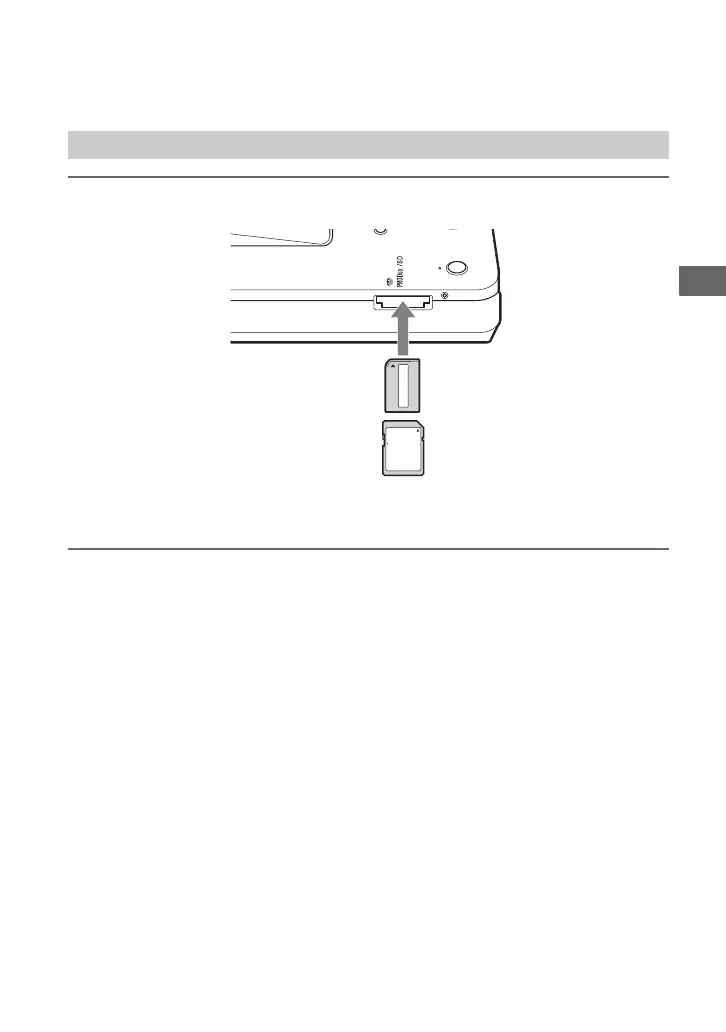
Insert a memory card into the memory card slot.
Push the memory card into the slot until you hear a click. To remove, push the card and pull
out.
b Notes
• Before use, check that the memory card is inserted correctly. If you push the memory card by force, this
may cause damage to both the memory card and this unit.
• Never remove the memory card while the memory card access LED is lit. Otherwise data in the memory
card may be damaged.
• An ejected memory card may be warm. This is not a malfunction.
Memory Card
With the
labeled side up,
insert the
memory card in
the v direction.
SD Card
“Memory Stick Duo”



 To Next Page