110
nN
Upgrading your VAIO computer
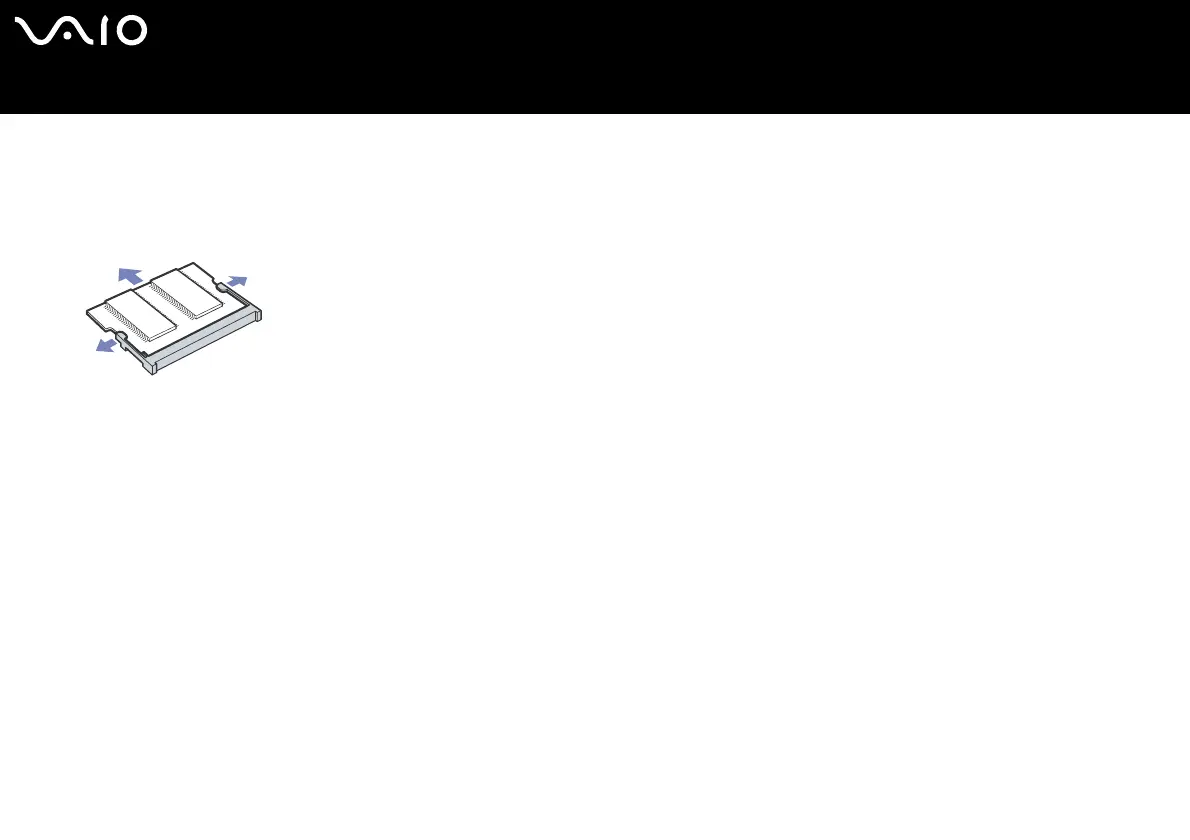
10 Remove the memory module:
❑ Pull the tabs in the direction of the arrows.
The memory module is released.
❑ Pull the memory module in the direction of the arrow.
11 Remove the new memory module from its packaging.
12 Install the memory module. Be careful not to touch the other components on the motherboard.
❑ Slide the memory module into the slot.
❑ Snap the connectors into place when the board is correctly seated.




 To Next Page