86
nN
Connecting peripheral devices
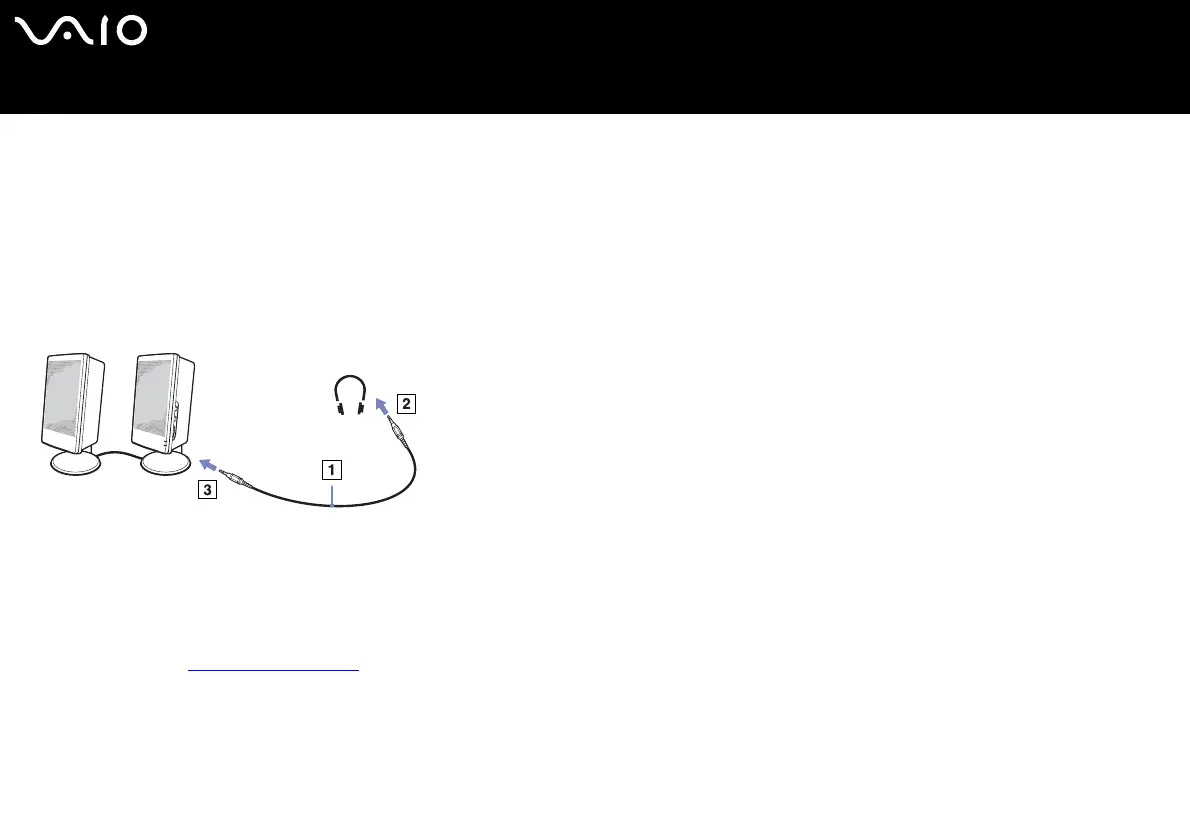
Connecting external speakers
You can enhance the sound quality of your computer by connecting external speakers.
To connect external speakers, proceed as follows:
1 Plug the speaker cable (1) into the headphone connector (2).
2 Plug the other end of the speaker cable into the external speaker (3).
3 Turn down the volume of the speakers before you turn them on.
✍ Make sure your speakers are designed for computer use.
Do not place floppy disks on the speakers; their magnetic field may damage the data on the disks.
Troubleshooting sound
If you have problems with the sound, check the printed Guide to Troubleshooting and Recovering your VAIO System and the
VAIO-Link website (www.vaio-link.com).






 To Next Page