30
nN
Using your VAIO computer
Using the touchpad
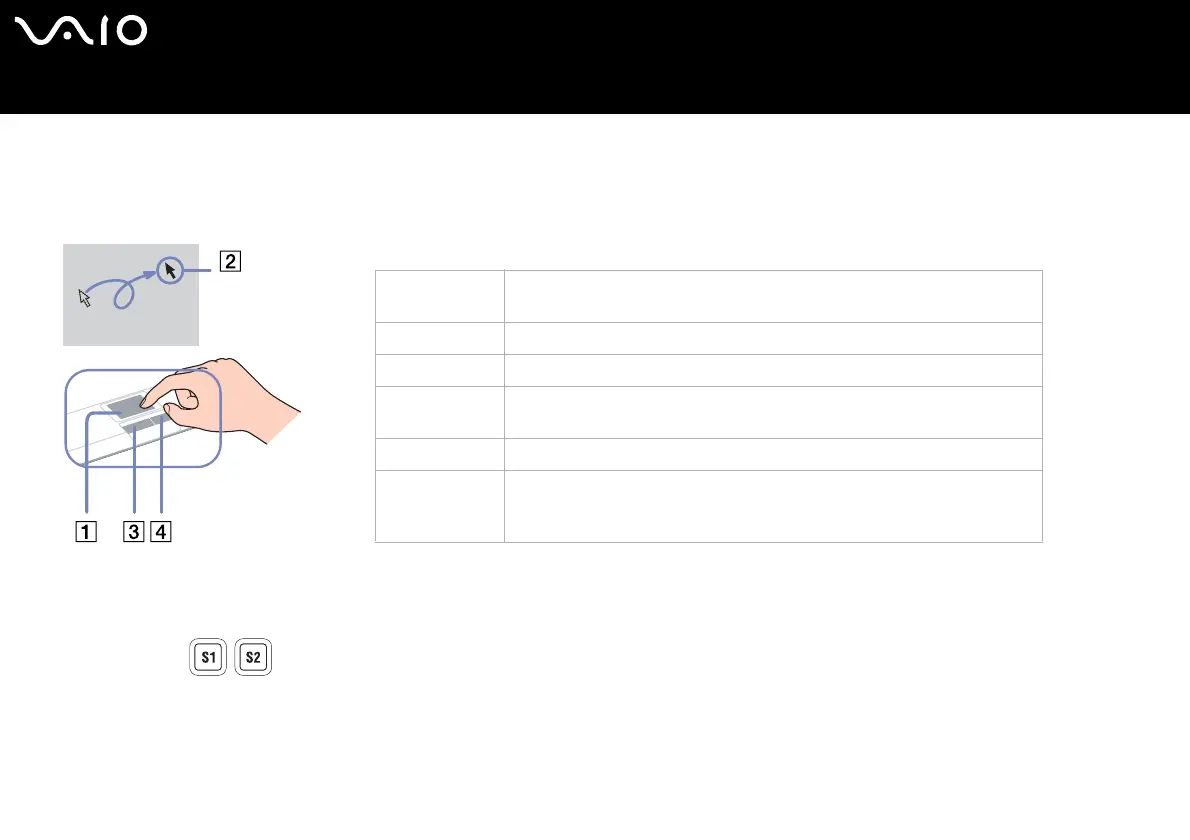
The keyboard features a touchpad (1), which controls the cursor on the screen. You can point to, select, drag, and scroll objects on
the screen using the built-in touchpad.
Using special buttons
❑ S1/S2 buttons (depending on your model):
You can link an action that you execute often to this shortcut button.
❑ DVD button: (depending on your model):
With this button you launch VAIO Zone to watch your DVD.
❑ Playback buttons (depending on your model):
Use these buttons to operate various media players.
Action Description
Point Slide one finger on the touchpad to place the pointer (2) on an item or
object.
Click Press the left button (3) once.
Double-click Press the left button twice.
Right-click Press the right button (4) once. In many applications, this action displays a
shortcut menu.
Drag and select Slide one finger while pressing the left button.
Scroll Move your finger along the right edge of the touchpad to scroll vertically.
Move your finger along the bottom to scroll horizontally (the scroll function
is available only with applications that support a touchpad scroll feature).






 To Next Page