66
nN
Connecting peripheral devices
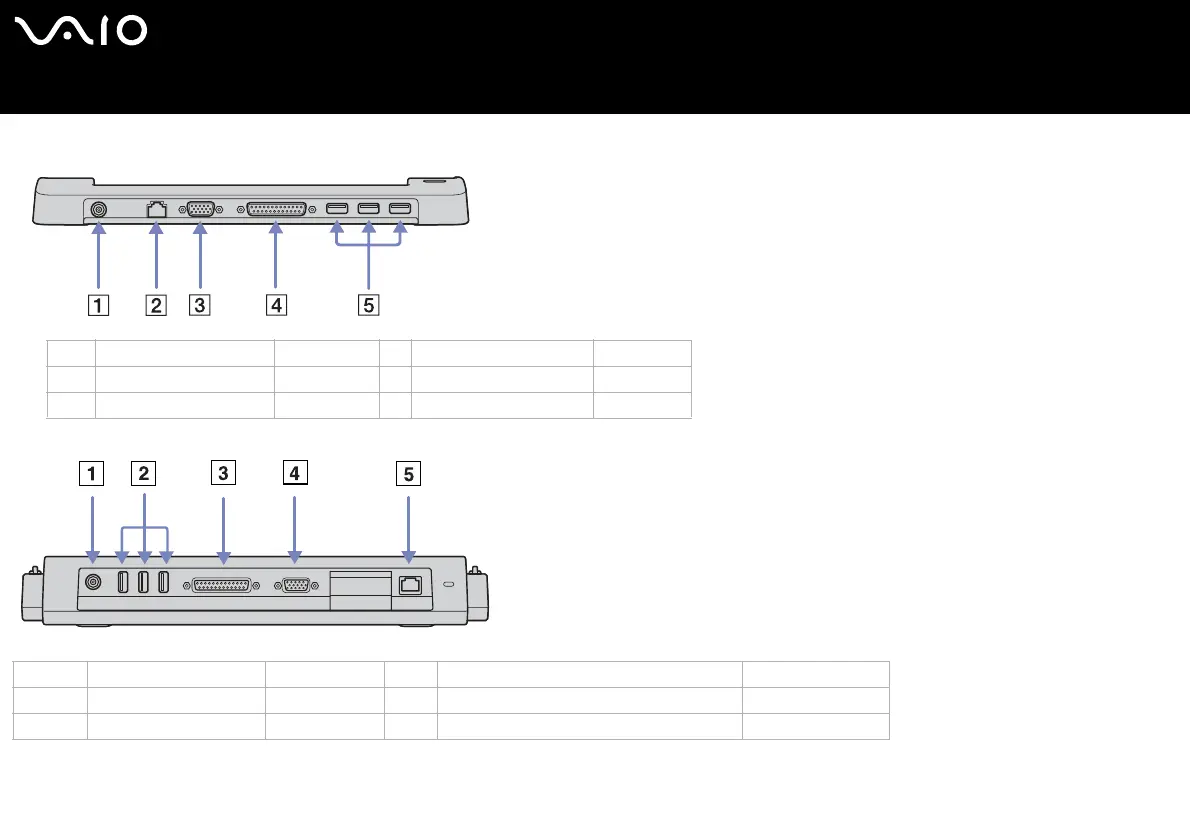
VGN-T series:
VGN-B series:
✍ The docking station can be powered only with the AC adapter supplied with your computer. Do not remove the AC adapter from the docking station or the AC outlet when
using the docking station; this may cause data damage or hardware malfunctions.
1DC In (page 14) 4 Printer port (page 93)
2Network (page 98) 5 3 USB ports (page 88)
3 Monitor/VGA port (page 76)
1 DC In port (page 14) 4 Monitor/VGA port (page 76)
23 USB ports (page 88) 5 Ethernet port (10BASE-T/100BASE-TX) (page 98)
3 Parallel printer port (page 93)






 To Next Page