91
nN
Connecting peripheral devices
Inserting a floppy disk
To insert a floppy disk, proceed as follows:
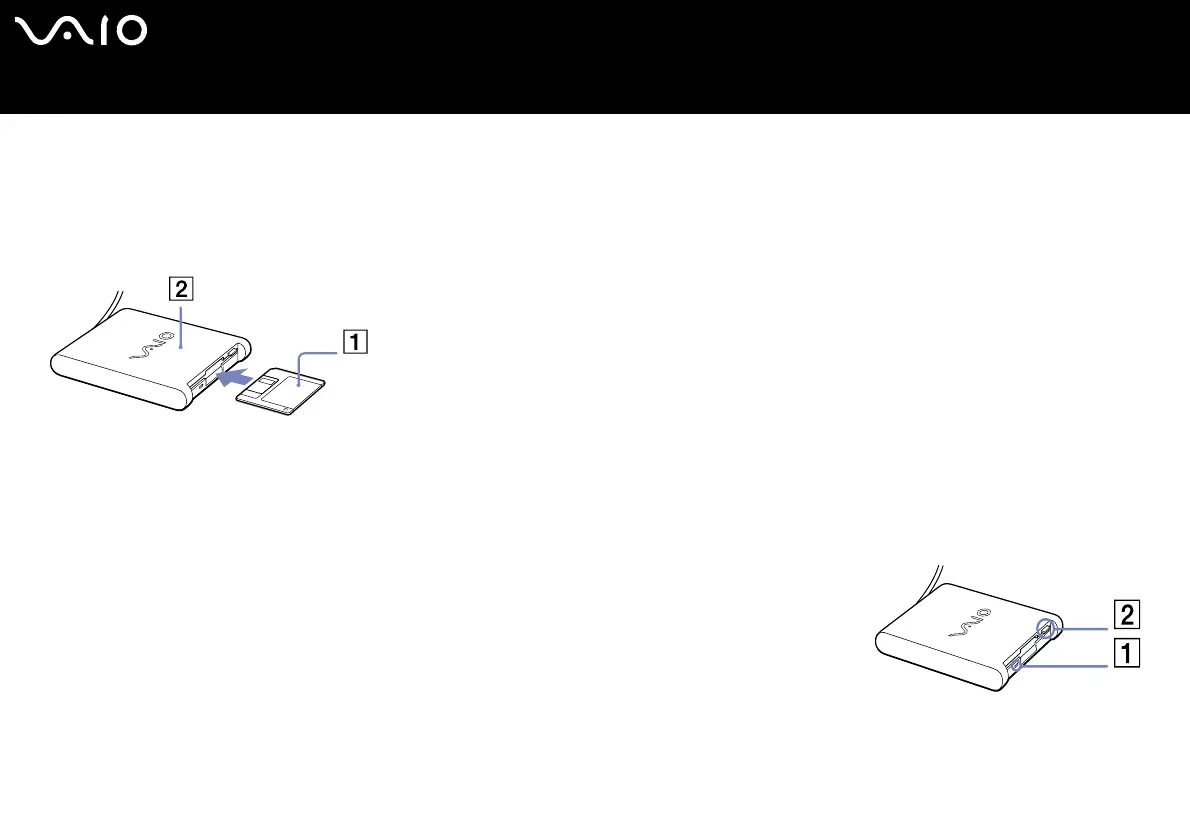
1 Hold the disk (1) with the label side facing up.
2 Gently push the disk into the drive (2) until it clicks into place.
Removing a floppy disk
To remove a floppy disk, proceed as follows:
When you have finished using the floppy disk, wait until the LED indicator (1) turns off and then press the eject button (2) to remove
the disk.
✍ Before pressing the eject button, make sure that the LED indicator is turned off.
If the disk does not come out by pressing the eject button, disconnect the floppy disk drive from the computer.
! Do not press the eject button while the LED indicator is on. It may damage the floppy disk.






 To Next Page