94
nN
Connecting peripheral devices
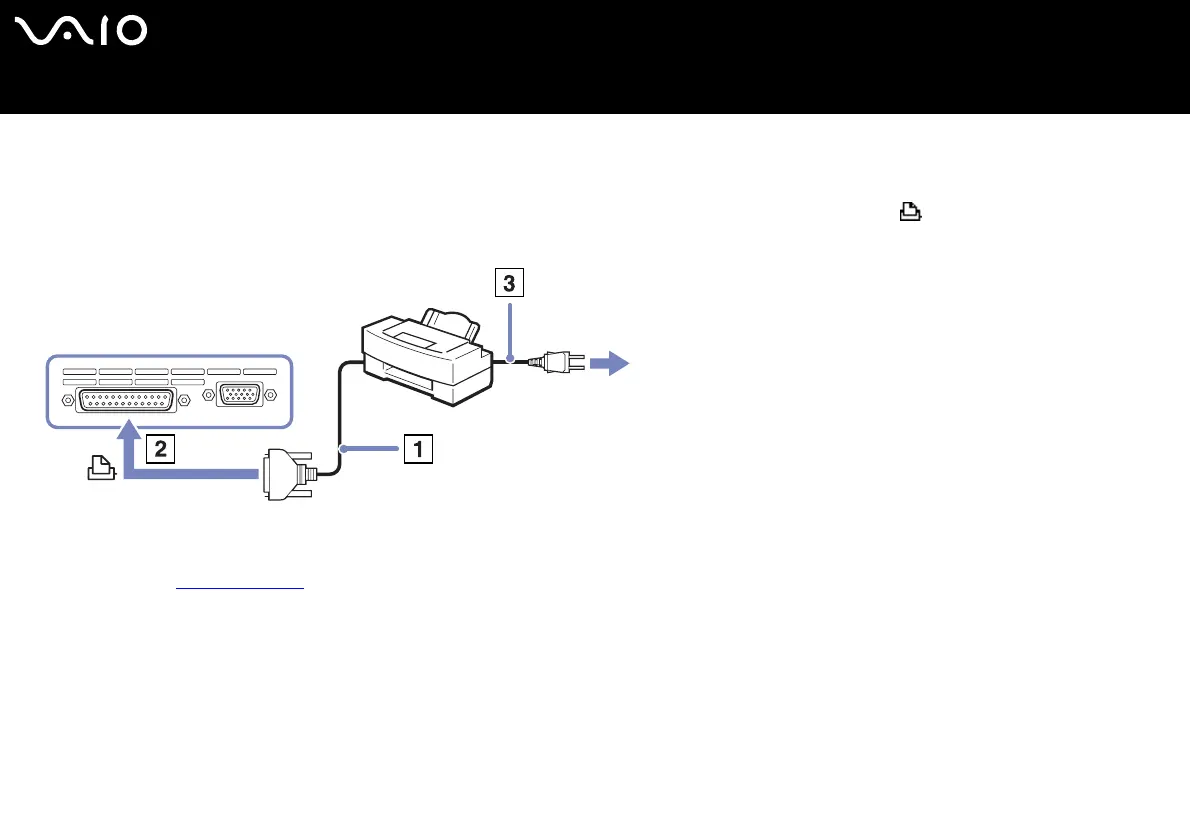
Connecting a printer using the printer connector
To connect a printer using the printer connector, proceed as follows:
1 Plug the printer cable (1) supplied with the printer into the printer connector (2) identified by the symbol.
2 Plug the printer power cord (3) into an AC outlet.
✍ Turn off your computer and the printer, unplug the AC adapter and the power cord before connecting the printer.
If you have problems printing, check the printed Guide to Troubleshooting and Recovering your VAIO System, the documentation delivered with your printer and the
VAIO-Link website (www.vaio-link.com
).






 To Next Page