16
Connecting the Projector
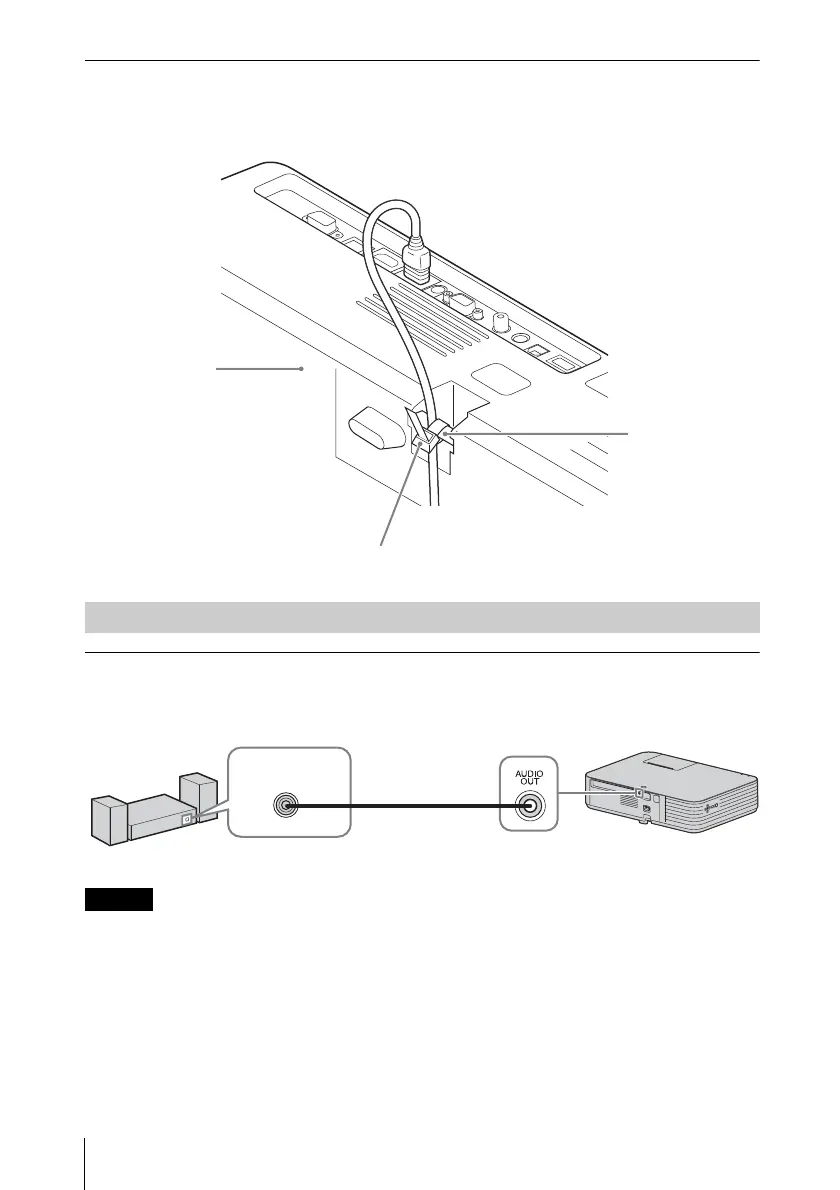
To attach the HDMI cable
Fix the cable to the security bar at the bottom of the projector using a
commercially-available cable tie, as in the illustration.
OUTPUT
Input audio can be output to audio equipment such as speakers with a built-in
amplifier.
When the speaker setting is set to “Always On” and the light is turned off, INPUT A
is enabled.
Security bar
Cable tie (commercially available)
Bottom of the
projector
Connecting Audio Equipment
Audio cable
(stereo mini plug)
(not supplied)
Audio input
terminal
Audio equipment


 To Next Page