49
Using Network Features
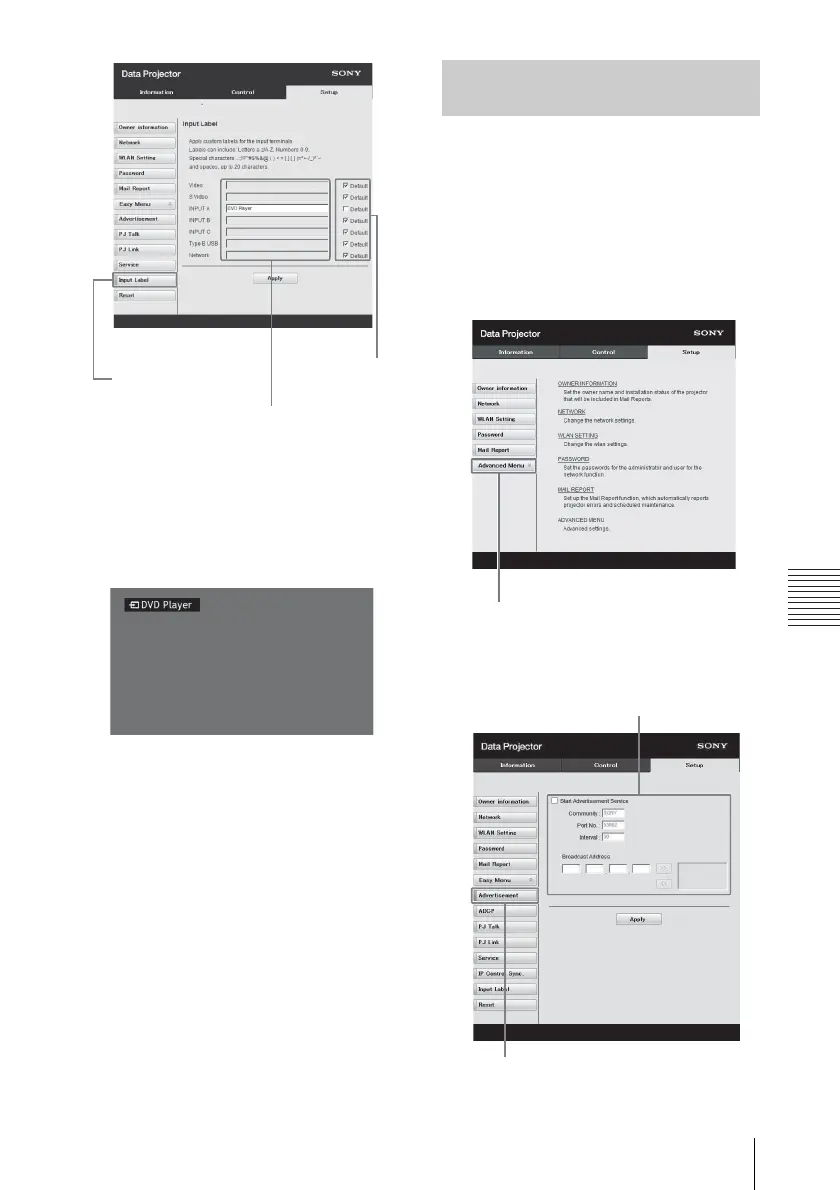
3 Click on [Apply] to apply the set
label names.
The label name will be reflected on
the screen when the input of the
projector is changed.
Change the settings for the control
protocol on the Setup page. Entered
values will not be applied unless you
click on [Apply].
1 Click on [Advanced Menu] to
display the buttons for more
settings.
2 (a) Set Advertisement.
Input Label button
Label name for the
input terminal
Use the
factory
default
setting
Input Terminal Label Display Screen
Setting the Control Protocol of the
Projector
Advertisement button
Advertisement
Service setting area



 To Next Page