48
Using Network Features
Obtain an IP address
automatically:
Automatically provides the
network settings by a DHCP
server function, such as the
router. The IP Address, Subnet
Mask, Default Gateway, Primary
DNS, and Secondary DNS display
the values provided by a DHCP
server.
Specify an IP address:
Set the network manually.
-IP Address:
Input the IP address of the
projector.
-Subnet Mask:
Input the subnet mask of the
projector.
-Default Gateway:
Input the default gateway of the
projector.
-Primary DNS:
Input the primary DNS server of
the projector.
-Secondary DNS:
Input the secondary DNS server
of the projector.
MAC Address:
Displays the MAC address for
USB wireless LAN module.
Change the label names for the input
terminals that will be displayed on the
projected screen on the Set up page.
The entered label names will not be
applied unless you click on [Apply].
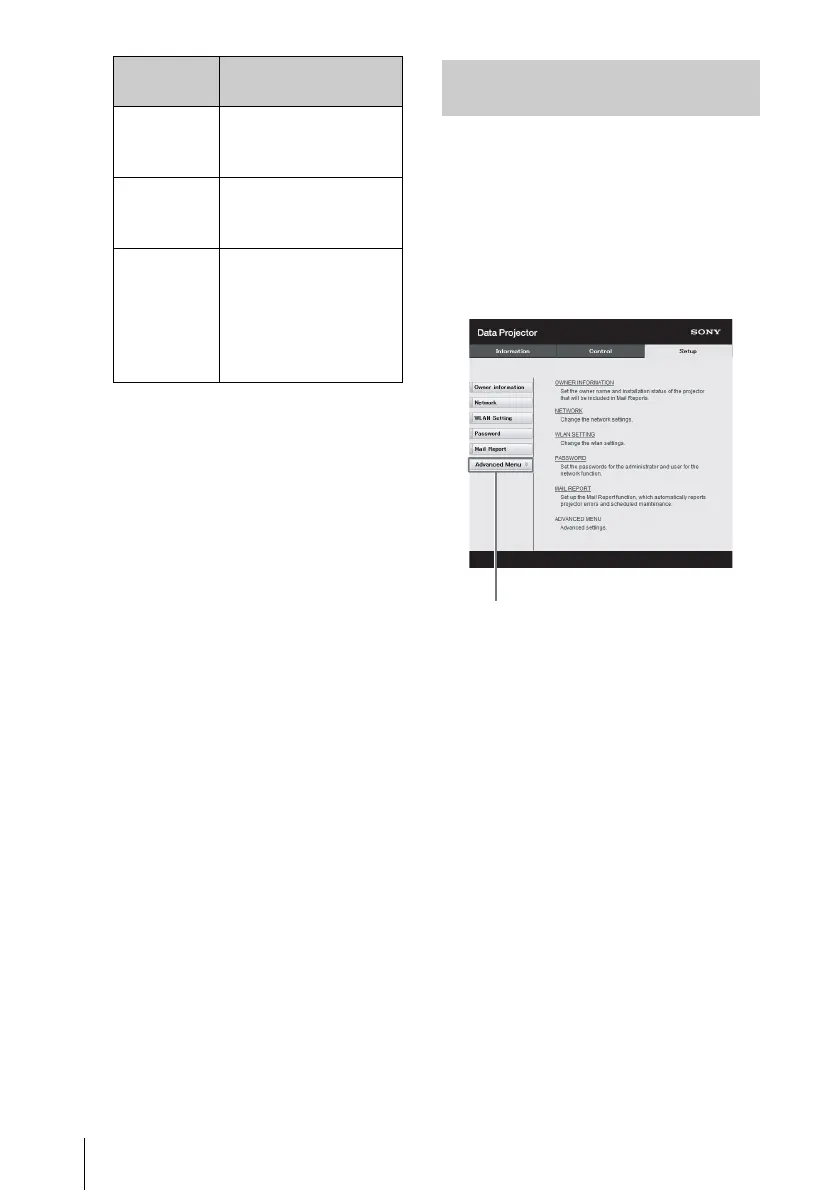
1 Click on [Advanced Menu] to
open the Setup page.
2 Click on [Input Label] and open
the Input label setting window.
Clear the check box for the label
that you want to change and input
the label name. You can input up to
20 of the following letters.
Alphabets: "a" to "z", "A" to "Z"
Numbers: "0" to "9"
Characters: ".", "@", "_"
WEP 64bit Input 5 ASCII
characters for a
password.
WEP 128bit Input 13 ASCII
characters for a
password.
MIX (WPA-
PSK/WPA2-
PSK (TKIP/
AES)) or
WPA2-PSK
(AES)
Input 8-63 ASCII
characters for a
password.
Encyption
Type
Password
Setting the Custom Labels for the
Input Terminals of the Projector



 To Next Page