NW-E013/E015/E016/E013F/E015F/E016F.GB 3-093-019-11(1)
31
31
Settings
Setting the EQ Custom values
You can preset the value of “Clear Bass” (bass) and 5 bands “Equalizer” as
“Sound1” or “Sound2” while looking at the player’s screen.
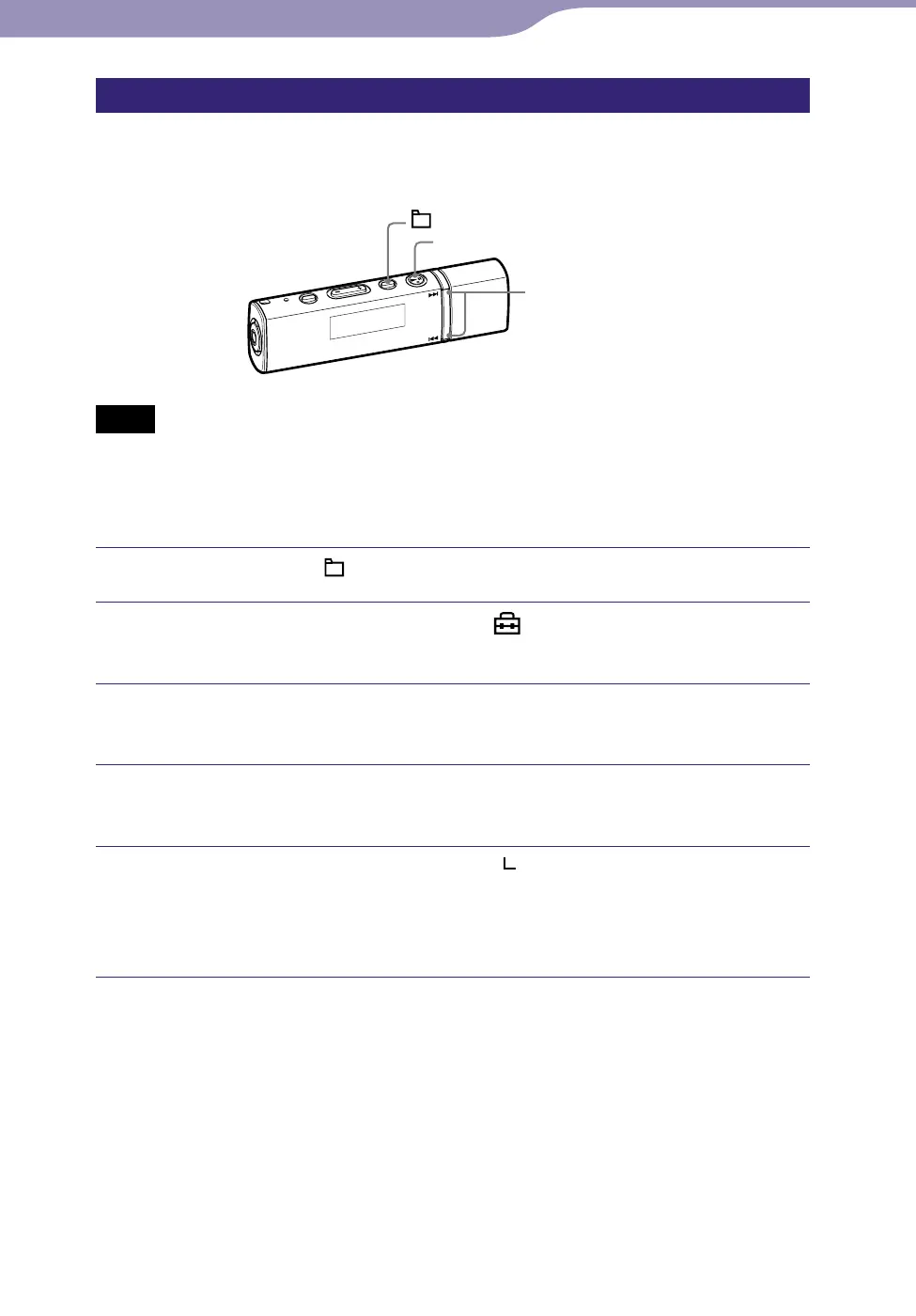
/ button
button
/HOME button
Notes
If the “EQ Custom” value is set in “Equalizer” of the Setting menu, the “EQ Custom”
setting is applied to the sound.
You cannot set the “EQ Custom” values while using the FM tuner (NW-E013F/E015F/
E016F only).
Press and hold the /HOME button until the HOME menu appears.
Press the / button to select (Settings), and then press
the button to conrm.
Press the / button to select “Sound>,” and then press the
button to conrm.
Press the / button to select “Equalizer>,” and then press
the button to conrm.
Press the / button
to select “ Edit>” displayed under
“Sound 1”
or “Sound 2” to change, and then press the button
to conrm.
The list of equalizer options appears.
Continued












 To Next Page