NW-E013/E015/E016/E013F/E015F/E016F.GB 3-093-019-11(1)
56
56
Settings
Resetting to Factory Settings
(Reset All Settings)
You can reset the player to the default settings. Resetting the player does not
delete the music songs you have transferred to the player.
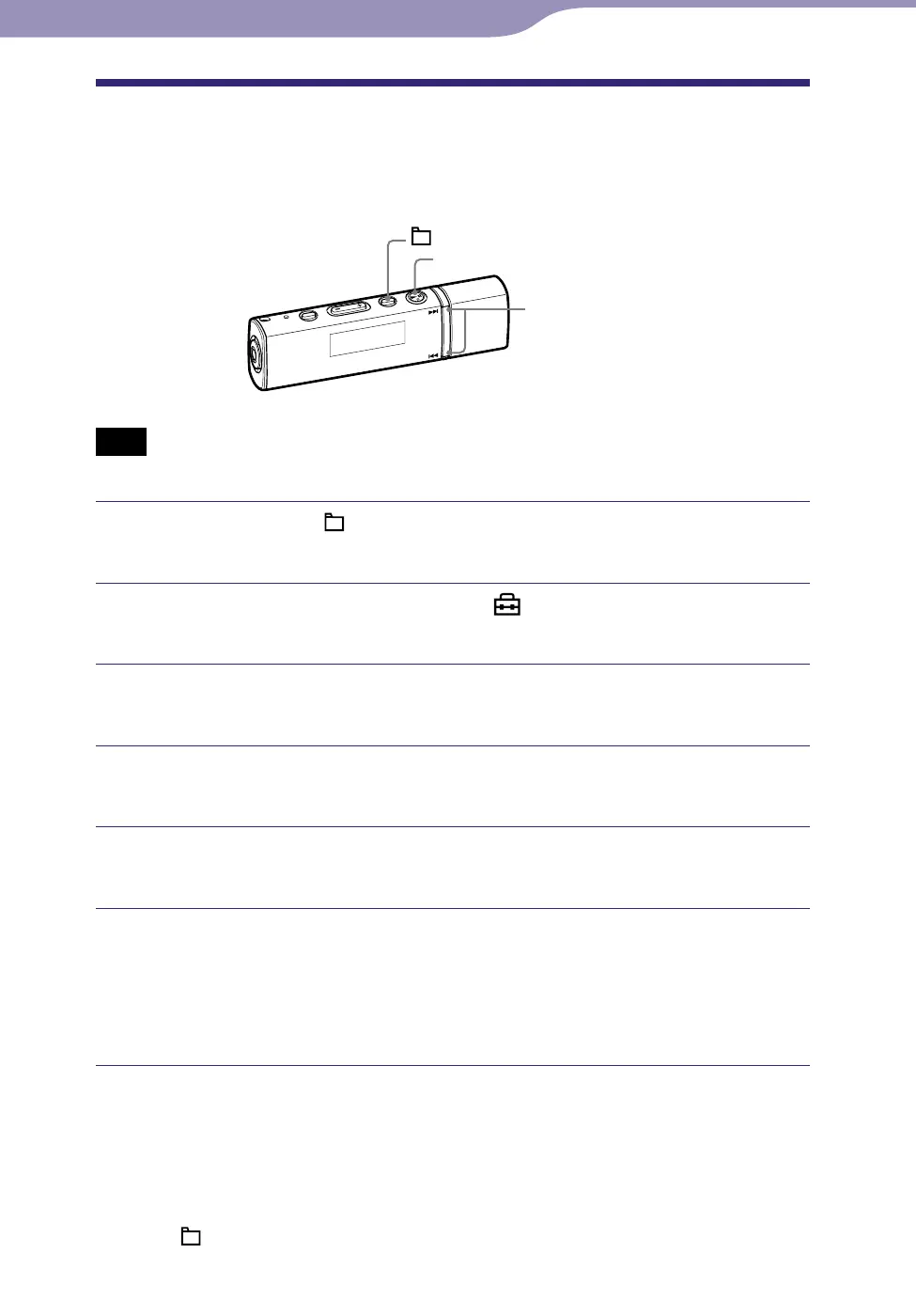
/ button
button
/HOME button
Note
This function is only available in pause mode.
Press and hold the /HOME button in pause mode until the HOME
menu appears.
Press the / button to select (Settings), and then press
the button to conrm.
Press the / button to select “Advanced Settings>,” and then
press the button to conrm.
Press the / button to select “Initialize>,” and then press the
button to conrm.
Press the / button to select “Reset All Settings>,” and then
press the button to conrm.
Press the / button to select “OK,” and then press the
button to conrm.
“COMPLETE” appears and the player is reset to the default settings.
Then “ACCESS” appears and when you start playback, the starting point
will be the first song of all songs (
page 12).
To cancel the operation
Select “Cancel” in step
and press the
button to confirm.
To return to the previous menu
Press the /HOME button.












 To Next Page