Using the directory
26
Adding a name to the personal directory
Notes: Names may be added to the directory when the telephone is idle. Also during a
telephone call the name of the B-party may be added to the directory.
This personal directory in your phone can contain up to 100 entries.
PhoneBook
or
Directory
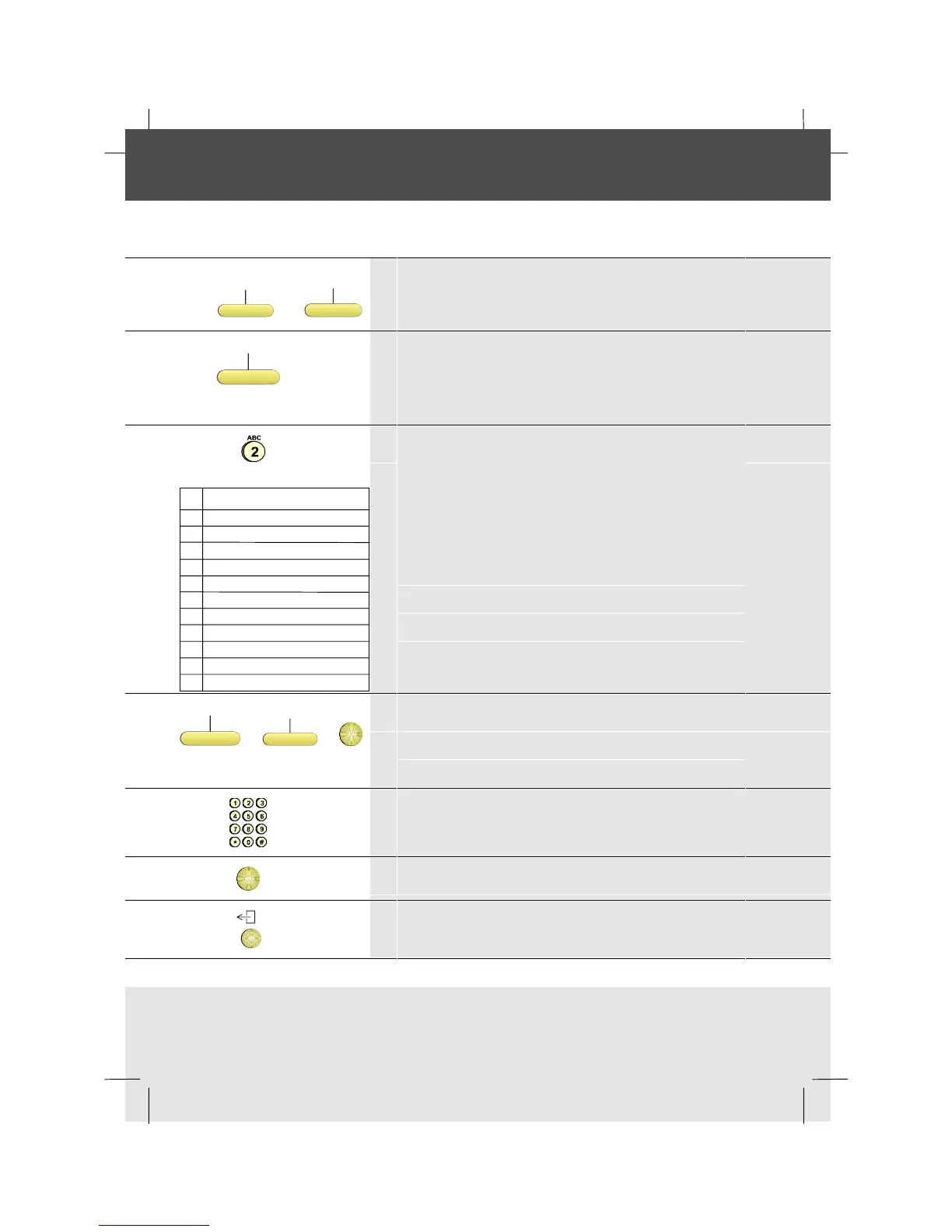
1 Press the Phonebook softkey (if present)
Press the Directory key
Add
2 Press the Add softkey
Note:During a call the number of the connected
party will be displayed.
1 . , : ! ? + - % & / ( ) = ¿ ¡ 1
2 A B C à á â ã ä å æ ç 2
3 D E F è é ê ë 3
4 G H I ì í î ï 4
5 J K L 5
6 M N O ñ ò ó ô õ ö œ ø 6
7 P Q R S ß 7
8 T U V ù ú û ü 8
9 W X Y Z 9
0 space 0
# #
* *
3
Type the name: e.g. to enter B press number key 2
twice.
Alternatively, you can use the optional
Alphanumeric Keyboard if you have one
Note: International characters can be obtained by
continuous pressing of the key until the character
required is displayed: e.g. to enter à
press number 2
four times.
EditName
or
EditNmbr
or
OK
4 Press the EditName, the EditNmbr softkey or OK
Note: If the name and number displayed are correct,
press OK to save the entry.
5 Type the number
OK
6 Press OK
7 To return to idle, press the Exit key



 To Next Page