17
USER GUIDEUSER GUIDE
USER GUIDEUSER GUIDE
USER GUIDE
MONITORING AUDIO PMONITORING AUDIO P
MONITORING AUDIO PMONITORING AUDIO P
MONITORING AUDIO P
AA
AA
A
THTH
THTH
TH
So how do I listen to audio ?So how do I listen to audio ?
So how do I listen to audio ?So how do I listen to audio ?
So how do I listen to audio ?
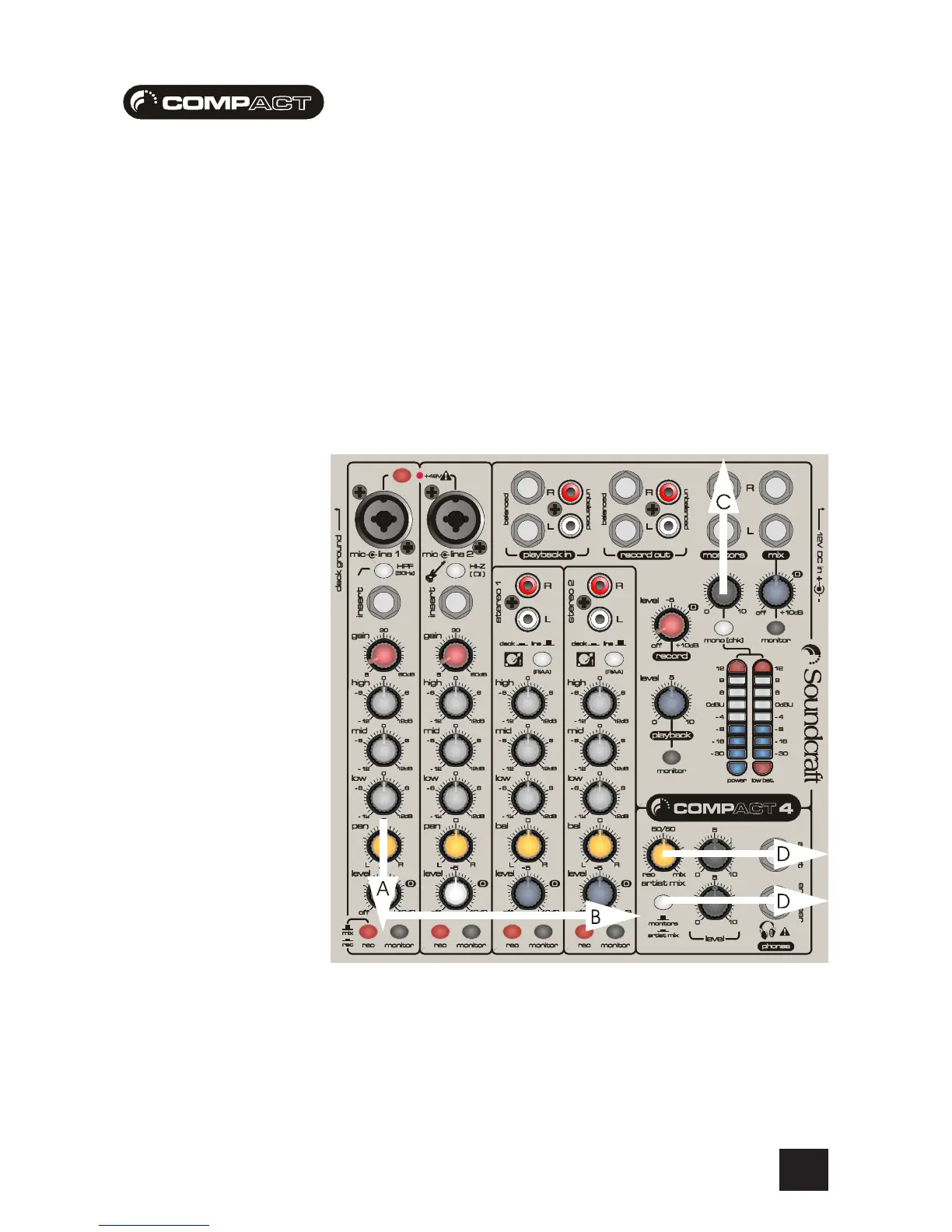
The audio path shown below covers :
A - The channel monitor button which sends audio (before any pan and level control) to
the monitor bus - this is another bus used to add signals for listening. This is normally
used to set-up the channel
B - The monitor bus from to monitor output level and headphone output levels
C - The monitor output level control to the monitor outputs
D - The headphone output levels control to the headphone outputs








 To Next Page