7
USER GUIDEUSER GUIDE
USER GUIDEUSER GUIDE
USER GUIDE
INSTINST
INSTINST
INST
ALLAALLA
ALLAALLA
ALLA
TIONTION
TIONTION
TION
ABOUT THIS MANUAL
This manual describes the safety precautions, warnings, specifications, installation and operating
procedures specific to the following Soundcraft products only:
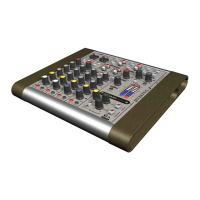
Soundcraft COMPACT4 RW5677 UK / EU / US / KR / AZ / JP
Soundcraft COMPACT10 RW5678 UK / EU / US / KR / AZ / JP
The information in this manual should be read by end users of one of the above products only. In
particular, this manual should not be read in conjunction with any other product not listed above.
The above products do not contain any user-serviceable parts and the user guide does not contain
any technical servicing information. Qualified service personnel can obtain a separate Technical
Manual incorporating the user guide, Part No ZM0293-01 from Soundcraft or one of its accredited
distributors.
Information in this manual is subject to change without notice and does not represent a commitment
on the part of the vendor. Soundcraft shall not be liable for any loss or damage whatsoever arising
from the use of information or any error contained in this manual.
INSTALLING THE MIXER
Correct connection and positioning of your mixer is important for successful and trouble-free
operation. The following sections are intended to give guidance with cabling, connections and
configuration of your mixer.
• Choose the mains supply for the sound system with care, and do not share sockets or
earthing with lighting dimmers.
• Position the mixer where the sound can be heard clearly.
• Run audio cables separately from dimmer wiring, using balanced lines wherever possible.
If necessary, cross audio and lighting cables at right angles to minimise the possibility of
interference. Keep unbalanced cabling as short as possible.
• Check your cables regularly and label each end for easy identification.










 To Next Page