30
USER GUIDEUSER GUIDE
USER GUIDEUSER GUIDE
USER GUIDE
CHANNEL SETCHANNEL SET
CHANNEL SETCHANNEL SET
CHANNEL SET
-UP-UP
-UP-UP
-UP
In order to get the best results from your mixing experience it is vital that you follow one golden rule
- GET THE SIGNAL LEVEL RIGHT FROM THE INPUT.
By pressing the MONITOR button on an input channel you can hear the channels audio and see the
level on the meters.
Ensure the EQ is flat, so that the signal is unaffected.
Mono Channels - Adjust the gain until the signal is just below the point where it triggers the red LED
on the meters.
Stereo Channels - Adjust the output level on the sending device until the signal is just below the
point where it triggers the red LED on the meters.
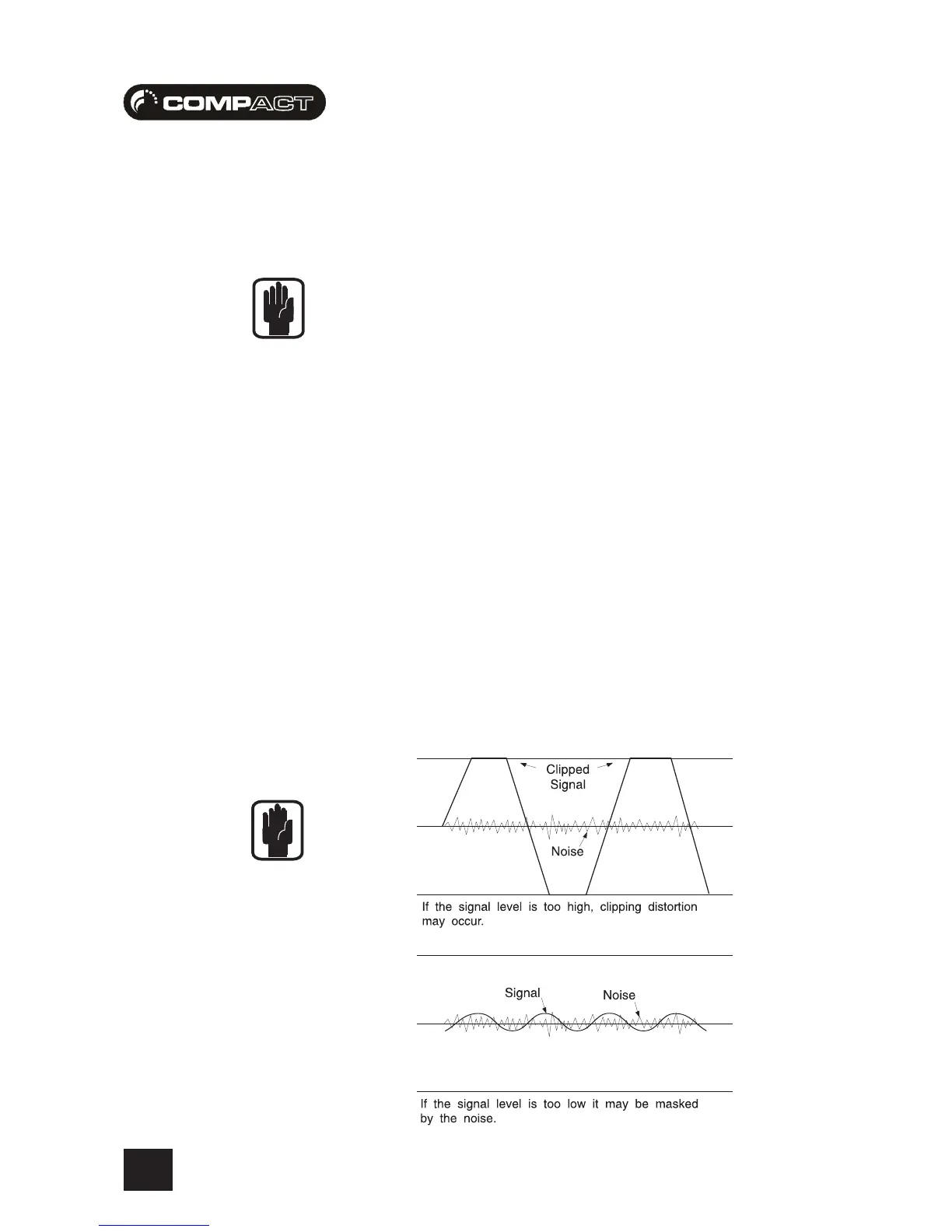
This method will always ensure you have the best possible input signal to noise ratio (basically
you want lots of signal and no noise).
The diagram below shows the two extremes you should aim to avoid:















 To Next Page