.............................
~~
~~
+DISC/USB/SD/MMC
INTERFACE
OPERATION
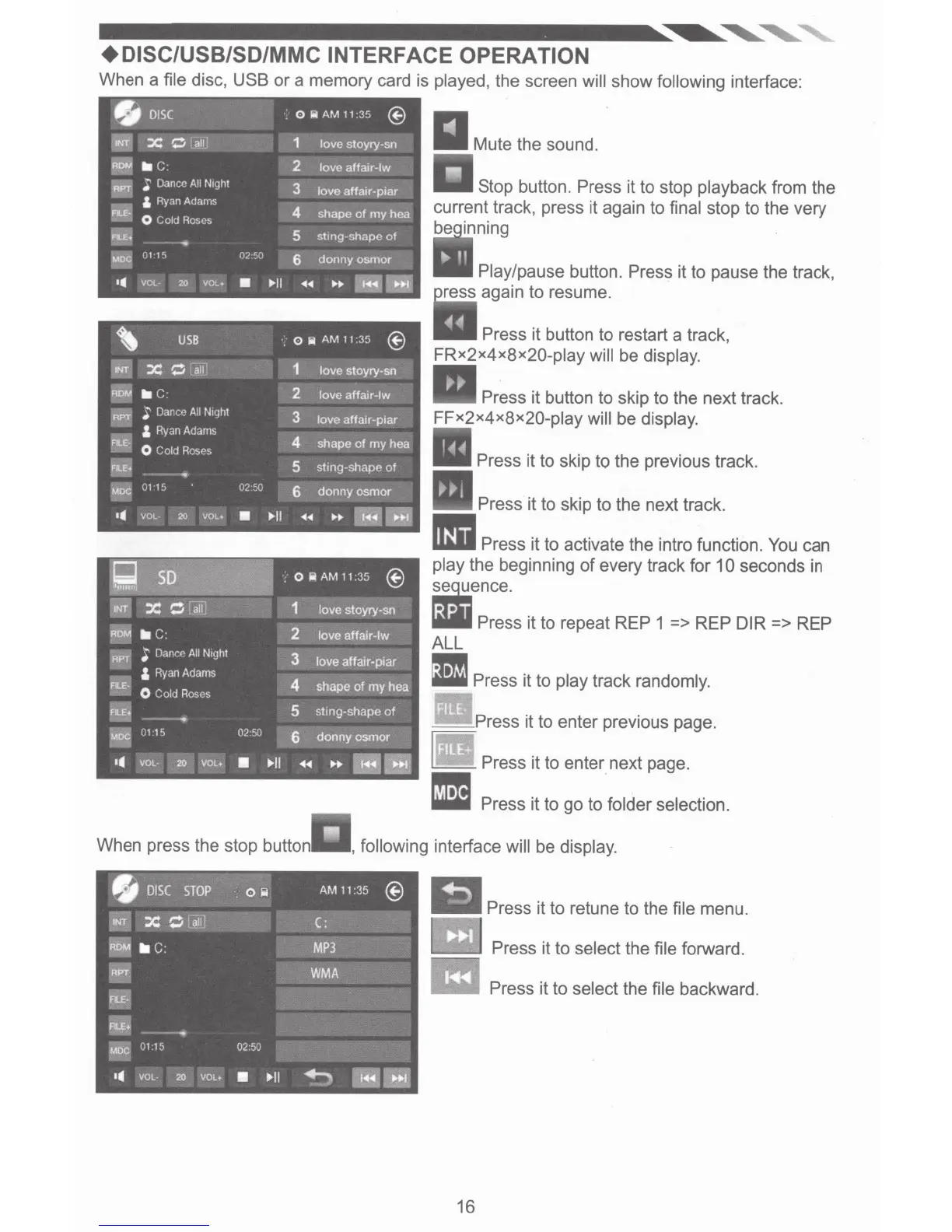
When a file disc, USB
or
a memory card is played, the screen
will
show
following
interface:
When press the stop button
Stop button.
Press
it to stop playback from the
current track, press it again to final stop to the very
be inning
Play/pause
button.
Press
it to pause the track,
ress again to resume.
Press
it button to restart a track,
FRx2x4x8x20-play
will
be display.
Press
it button to skip to the next track.
FFx2x4x8x2Q-play
will
be display.
Press
it to skip to the previous track.
Press
it to skip to the next track.
IIIII
Press
it to activate the intra function.
You can
play the beginning
of
every track for
10
seconds in
:ence.
liVII
Press
it to repeat
REP
1
=>
REP DIR
=>
REP
ALL
•
Press
it to play track randomly.
__
Press
it to enter previous page.
~
Press
it to enter next page.
• Press
it to
go
to
folder selection.
,
following
interface
will
be display.
Press
it to retune to the file menu.
Press
it to select the file forward.
Press
it to select the file backward.
16













 To Next Page