Setup
91369 Service Manual 2-16
Monitor Tab
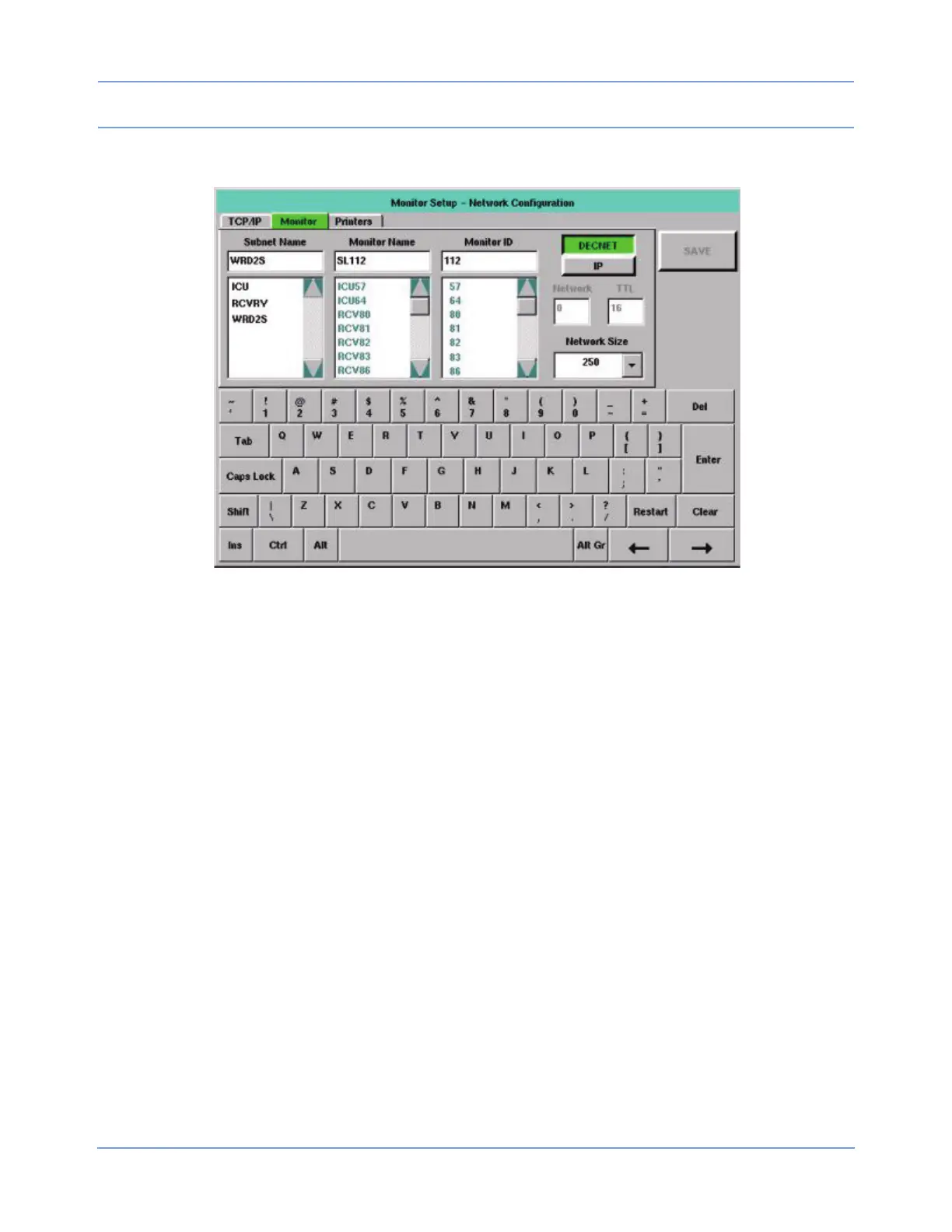
Figure 2-11: Monitor tab
The Monitor tab enables you to determine what monitor names, monitor (node) IDs, and subnet names are
currently in use. The tab also enables you to enter settings for the monitoring network.
In Figure 2-11, the monitor’s current settings are displayed in each input cell. The scroll list below each input
cell displays the remaining items that have been detected on the network. Items in the Subnet Name and
Monitor Name lists are displayed in alphanumeric order. Items in the Monitor ID list are displayed in numeric
order.
Brackets (< >) surround strings that consist solely of spaces. The separation within the brackets indicates the
number of spaces within that string.
Editing is performed as described in Editing Tab Fields on page 2-13. The tabbing order is Subnet Name >>
Monitor Name >> Monitor ID >> DECNET/IP >> Network >> TTL >> Subnet Name. Network and TTL are
skipped if unavailable. Changes made to this tab’s settings take effect after a successful save and monitor
reset.
Subnet Name
The subnet name contains up to five characters (default is five blanks). Items in this scroll list are selectable.
Monitor Name and Monitor ID
The Monitor Name is the name given to each bedside and central monitor (does not apply to telemetry bed
names) to help the users identify monitors on the network. The Monitor Name contains five characters (default
is SL001).
The Monitor ID is the numeric ID assigned to a monitor. Each device on the network must have a unique
Monitor ID. This can be any number from 1 to 1023, depending on the Network Size selected.


 To Next Page