Setup
91369 Service Manual 2-36
Minimum Volume
The MINIMUM VOLUME / ON/OFF key the Biomed Level menu locks (ON) the current alarm tone volume
setting as the minimum alarm tone volume. Visually verify the volume setting before selecting ON.
System Information
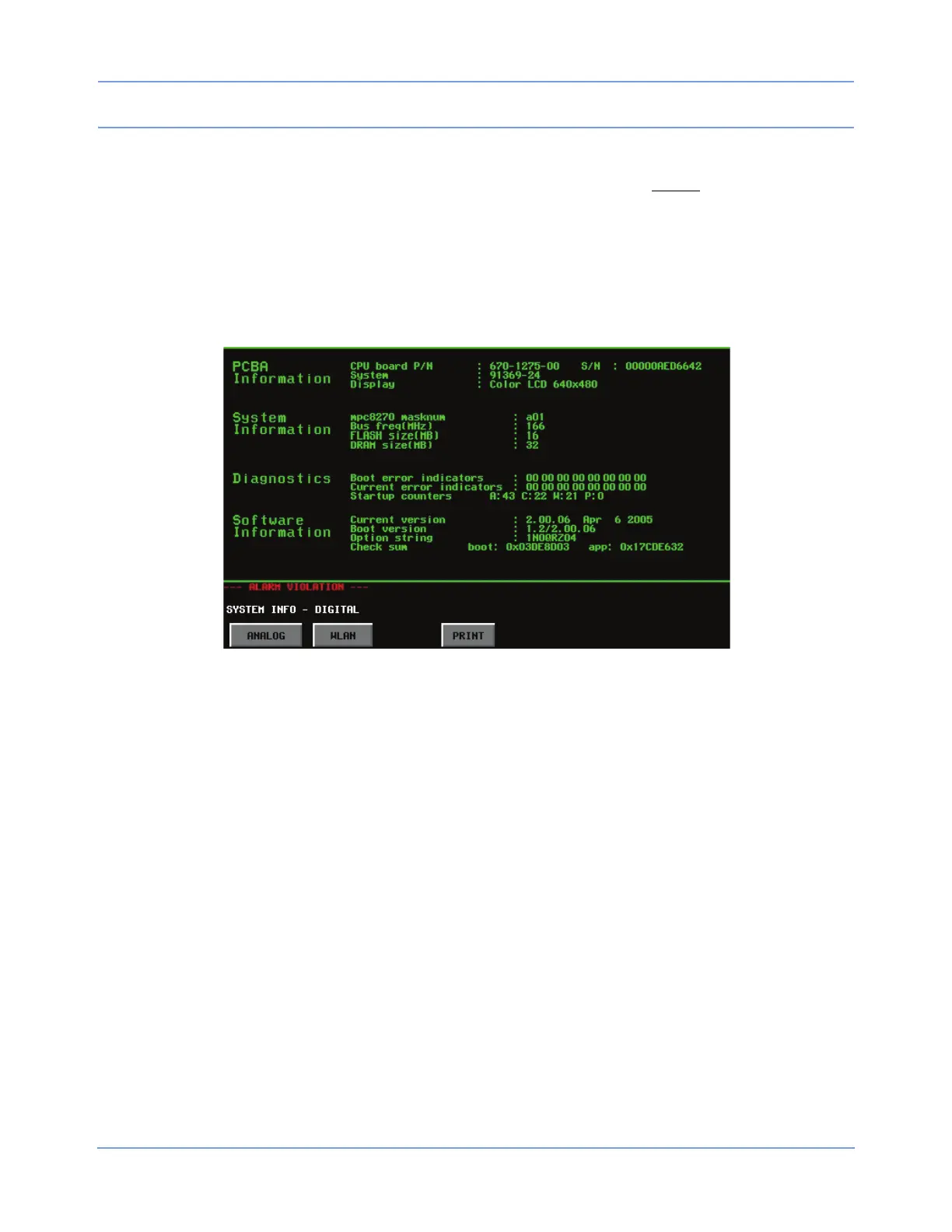
The SYSTEM INFO key in the Biomed Level menu accesses the monitor’s System Information - Digital
screen (actual data may differ from the example in Figure 2-21).
Figure 2-21: System Information screen - Digital
DIGITAL
This page displays information related to the TTL, system, diagnostics, and software configuration.
The presence or absence of the WLAN key in the DIGITAL system information window is the only indication of
whether or not this monitor supports wireless networking.
PRINT
Selecting this key prints whatever information is displayed in the window above it. All System Information
windows display this key.
ANALOG
Touch ANALOG to display the analog system information.
• While the monitor is connected to AC power, AC displays below the AC/DC heading and the current
battery charge current and battery resistance values display, along with values for various powers and
temperatures (actual data may differ from the example in
Figure 2-22).



 To Next Page