Setup
91369 Service Manual 2-22
The WLAN card SSID and security settings must match the settings of the intended access point (AP). If the
settings do not match, then wireless communication cannot occur.
Region (default = blank)
This input cell displays the monitor’s current setting for the WLAN region. This cell is available for 802.11
radios that are configurable in the field. Region values and their corresponding geographical regions are listed
in Table 6. The frequencies available in a particular country differ according to the regulations of that country.
Consult your national and local regulations.
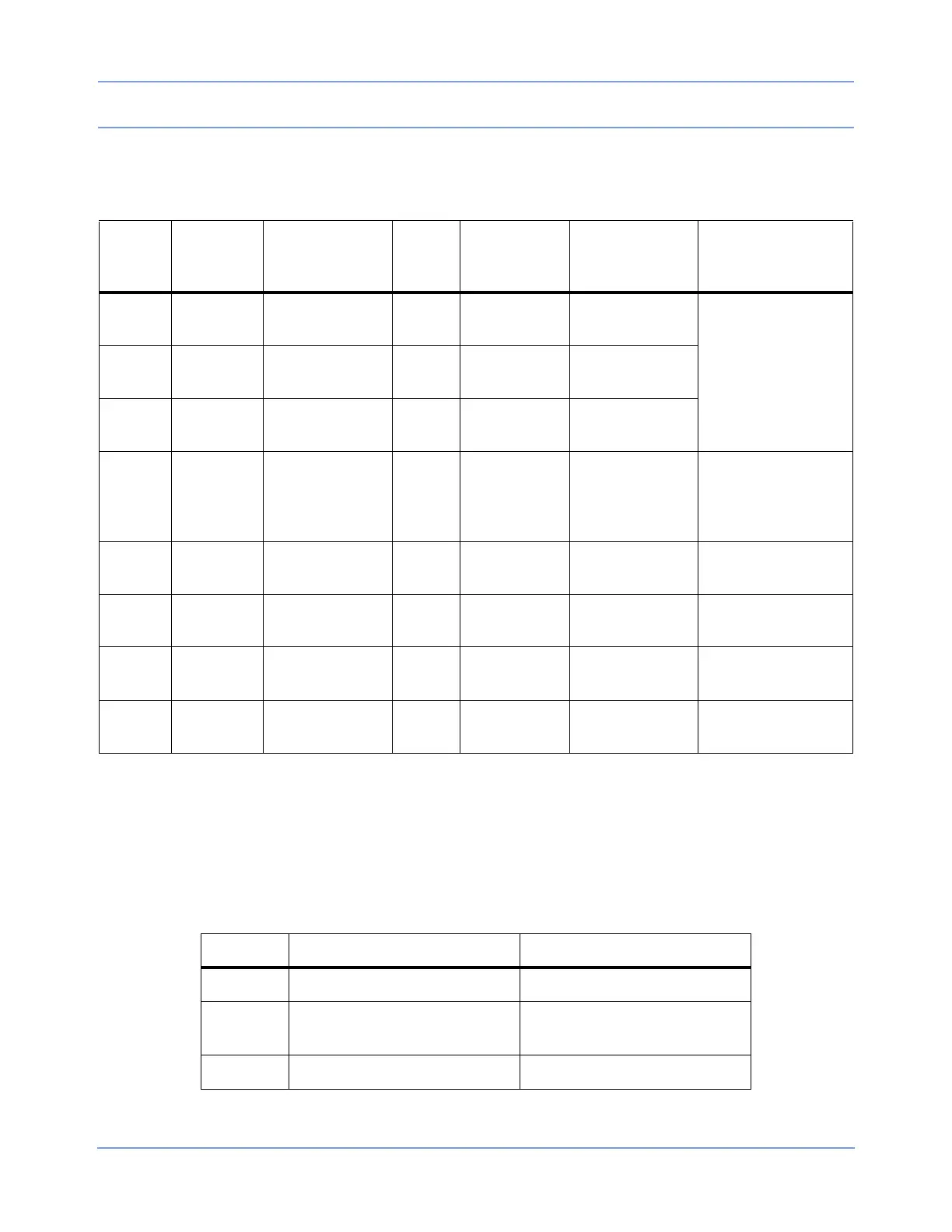
Table 5: WLAN Card and Security States
SSID
Security
Mode
Authentication
WEP
Keys
Match?
Monitor
Associated?
Monitor
Authenticated?
Can Wireless
Communication
Occur?
No
Match
WEP
Disabled
Open N/A No No
No — SSID must
always match
No
Match
WEP
Enabled
Open N/A No No
No
Match
WEP
Enabled
Shared Key N/A No No
SSID
Matches
WEP
Disabled
Open N/A Yes Yes
Yes, but only if
Security Mode on
AP matches (WEP
optional)
SSID
Matches
WEP
Enabled
Open Yes Yes Yes Yes
SSID
Matches
WEP
Enabled
Open No Yes No No
SSID
Matches
WEP
Enabled
Shared Key Yes Yes Yes Yes
SSID
Matches
WEP
Enabled
Shared Key No No No No
Table 6: Region Codes
Value Center Frequency Range Region
Blank Disabled
1 2412 to 2472 MHz
Europe (ETSI), except France
and Spain
2 2412 to 2462 MHz North America


 To Next Page