Setup
91369 Service Manual 2-24
Security Tab
The Security tab provides access to the WLAN security settings. The Security tab only displays on monitors
that are configured for wireless operation.
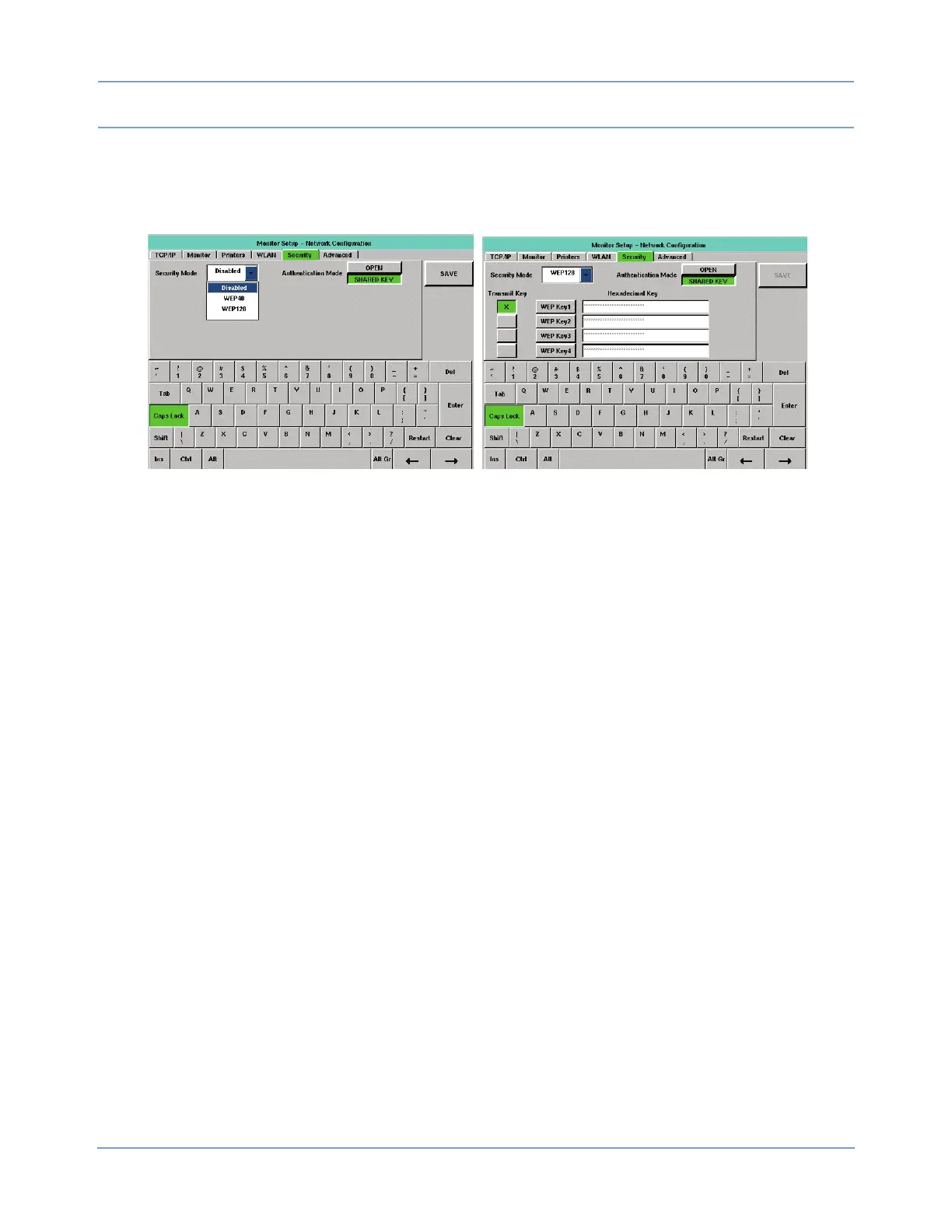
Figure 2-15: Security tab
In the left portion of Figure 2-15, Security Mode is set to Disabled in the Security Mode combo box pull-down
menu. In the right portion of Figure 2-15, Security Mode is set to WEP128, after entering hexadecimal keys.
Note:
Any entered WEP keys are erased if Security Mode is set to Disabled and the new setting is saved. If
Disabled is selected but not saved, the WEP keys are not erased.
The tabbing order depends upon the currently selected setting for Security Mode.
When Security Mode is set to Disabled, the tabbing order is Security Mode >> SAVE >> Security Mode.
When Security Mode is set to a WEP setting, the tabbing order is Security Mode >> Authentication Mode
>> Transmit (WEP Key1) >> Transmit (WEP Key2) >> Transmit (WEP Key 3) >> Transmit (WEP Key4) >>
WEP Key1 >> WEP Key2 >> WEP Key3 >> WEP Key4 >> Security Mode. Changes made to this tab’s
settings take effect after a successful save and monitor reset.
Note:
• In the tabbing order, the position of input focus on the combo boxes and the EDIT keys is not visually
apparent. Input focus on a key can be determined by selecting the ENTER key on the keyboard (the
key highlights). Selecting one of the WEP keys also clears the input cell to its right, enables that input
cell and gives it input focus). Input focus on a combo box can be determined by using the up or down
arrow keys on a USB keyboard to move through the list items.
• The tabbing order skips the SAVE key when that key is unavailable.
Security Mode
A combo box displays the monitor’s current Security Mode selection and provides the operator with a way to
change that selection. This setting determines whether WLAN operation is disabled (not encrypted) or is
enabled with encryption using either the WEP40 or the WEP128 protocols.
Whenever Disabled is selected, the only other items displayed within the tab are the Authentication Mode key
(disabled with OPEN selected) and the SAVE key. If Disabled is selected and saved, the SAVE key becomes
unavailable.



 To Next Page