102
APPENDIX: Network Connection - LAN
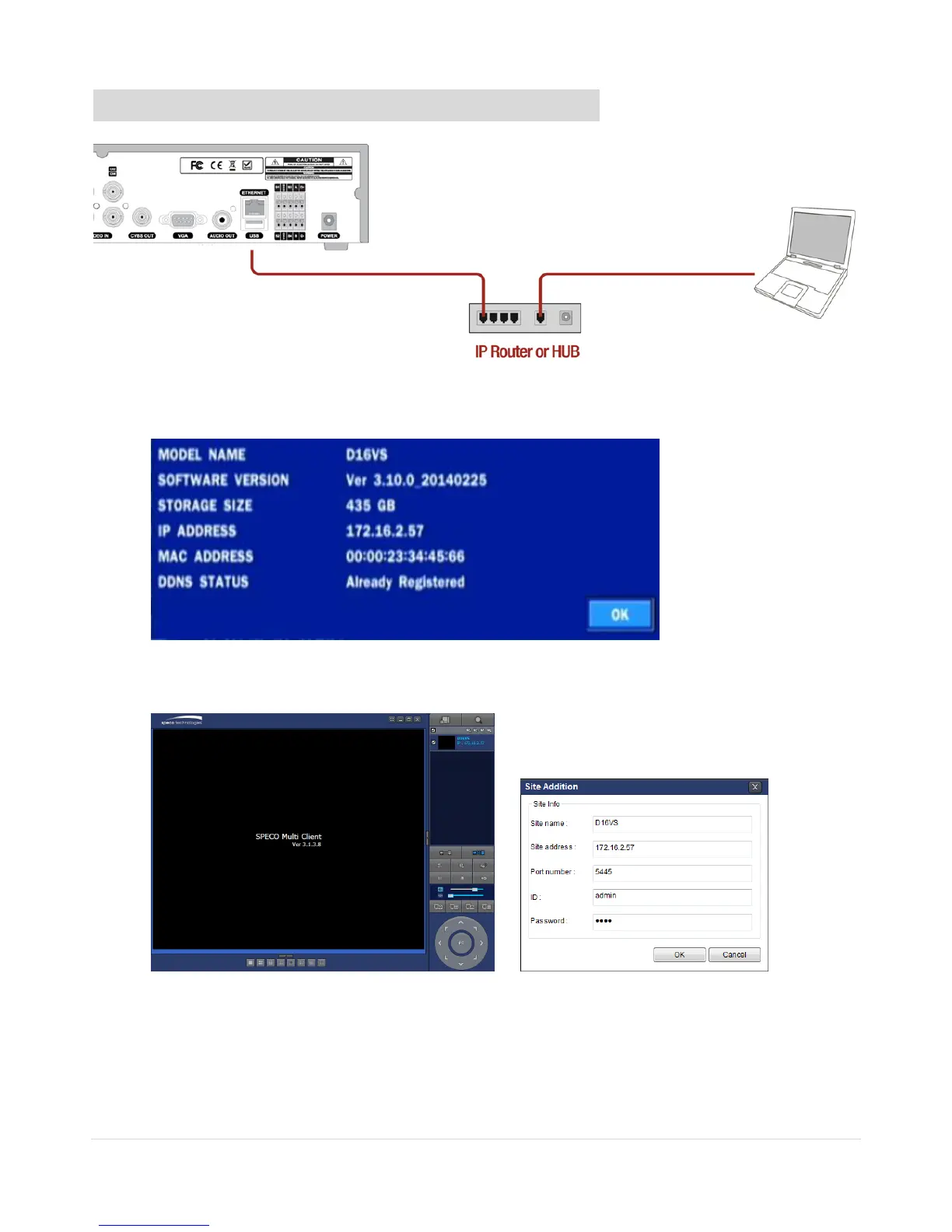
1. Install the network client software from the supplied CD.
2. Check the IP address from SETUP > SYSTEM > DESCRIPTION or SETUP>NETWORK of DVR.
3. Run the network client software.
4. Input Site Name, Site Address (IP address), Port Number, and Password on the connect window.
Site Name: Input a name that properly describes a site.
IP Address: Input IP address
Port Number: Default Port Number is “5445”.
ID: Input ID of DVR. Default ID is “admin”.
Password: Input network password of DVR. Default Password is “1111”.



 To Next Page