80
7-7-1. System
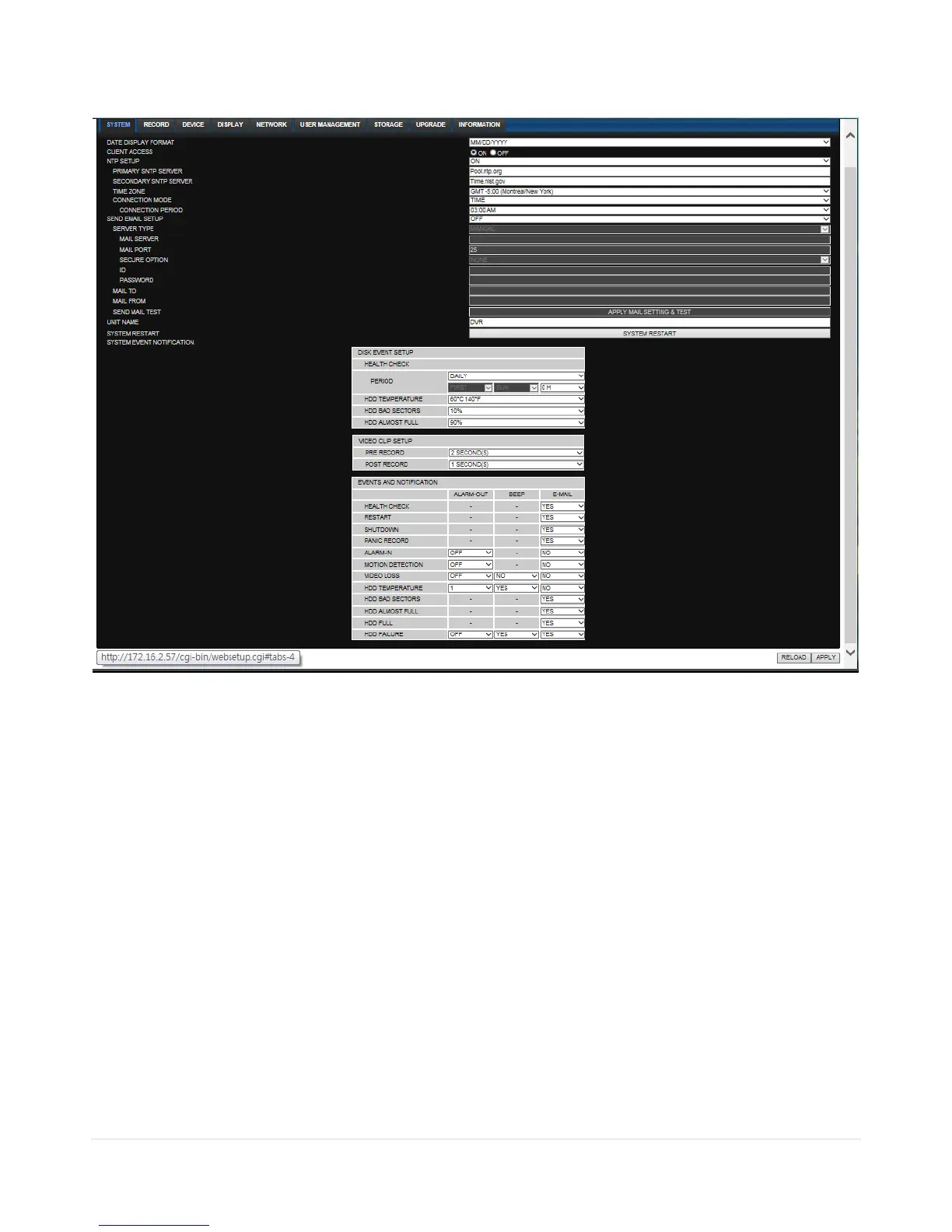
Select System to set system and time settings.
DATE DISPLAY FORMAT: Select the date display format.
CLIENT ACCCESS: Enable/Disable remote access through network client software.
NTP SETUP: Sets whether to synchronize the time using NTP server or not.
o Primary SNTP Server: Input the NTP primary server address.
o Secondary SNTP Server: Input the NTP secondary server address.
o Time Zone: Select the time zone.
o Connection Mode: Select the connection mode to NTP time server.
SEND E-Mail SETUP: Sets whether to enable/disable e-mail sending function.
o SEVER TYPE: Select GMAIL, HOTMAIL, AOL, YAHOO or MANUAL)
o MAIL SERVER: Input the SMTP server name as well as the user ID and password.
o MAIL PORT: Mail port setting.
o SEURE OPTION: Select a secure mail server connection. (SSL or TLS)
o ID : Email User ID
o PASSWORD : Email User Password
o MAIL TO: Input the appropriate email address to enable sending e-mail reports
o MAIL FROM (Return Mail Address): Set the source e-mail address to be notified to the
destination.



 To Next Page