97
9. Network Access Using the Smart Phone Viewer
9-1. App Viewer for iPhone
1. Enter the Apple App Store.
2. Search “Speco Player” in the App Store.
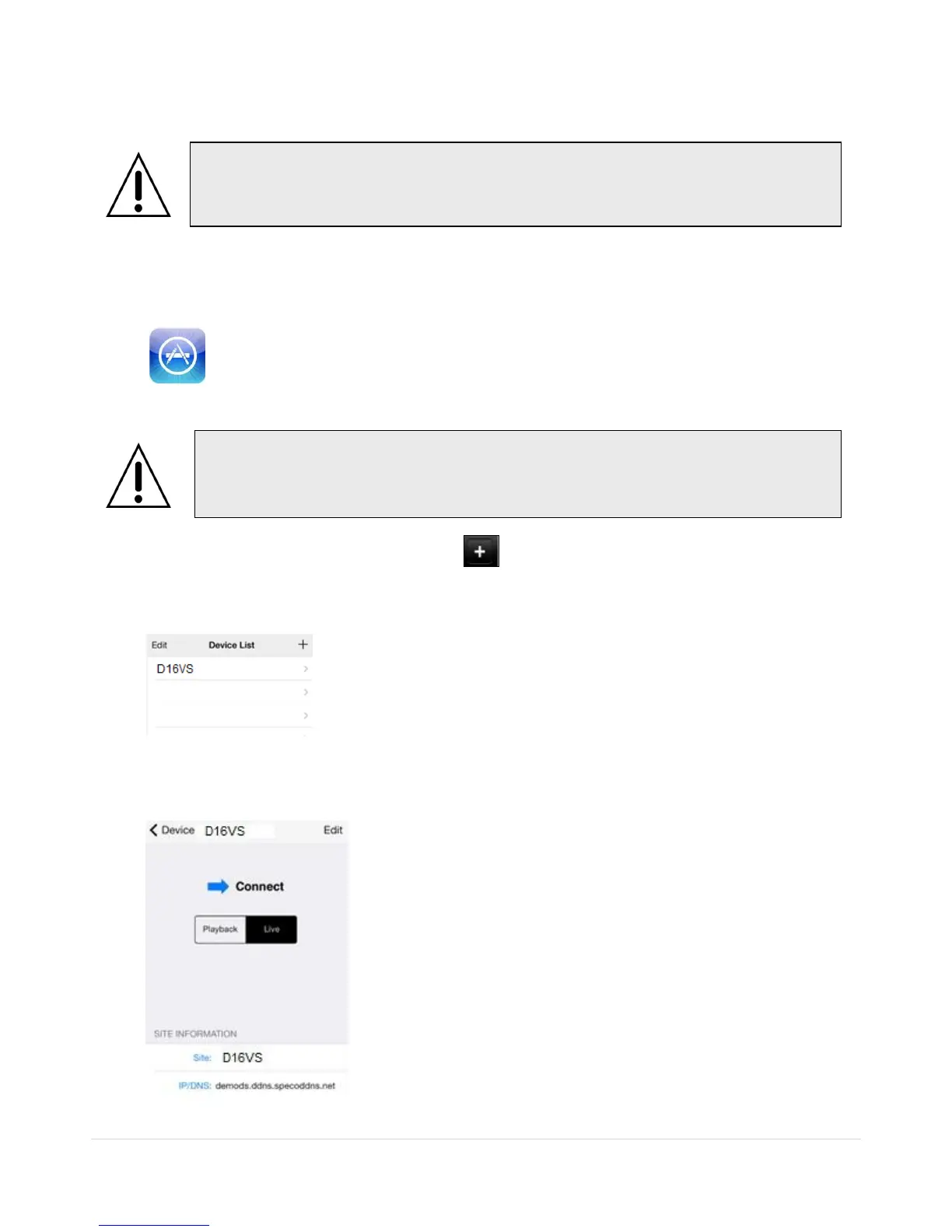
1. Open the installed “Speco Player” App and click button to add a remote device.
2. Enter the site name, IP or DDNS address, Network Port number (default 5445), ID(default admin) and
Password (default 1111). Then, click “Save” button.
* Note: Network Port and Web Port must be forwarded before adding a new site.
3. Select a registered device and select LIVE. Then click “CONNECT” button.
Notice
SPECO Player is for the VT, HS, DS, RS, WRS and HD series DVRs. SPECO VIEWER
is not compatible with the T Series DVR’s (TH, TN or TL) or the PC Series DVR’s.



 To Next Page