72
7-5-3. SMART SEARCH
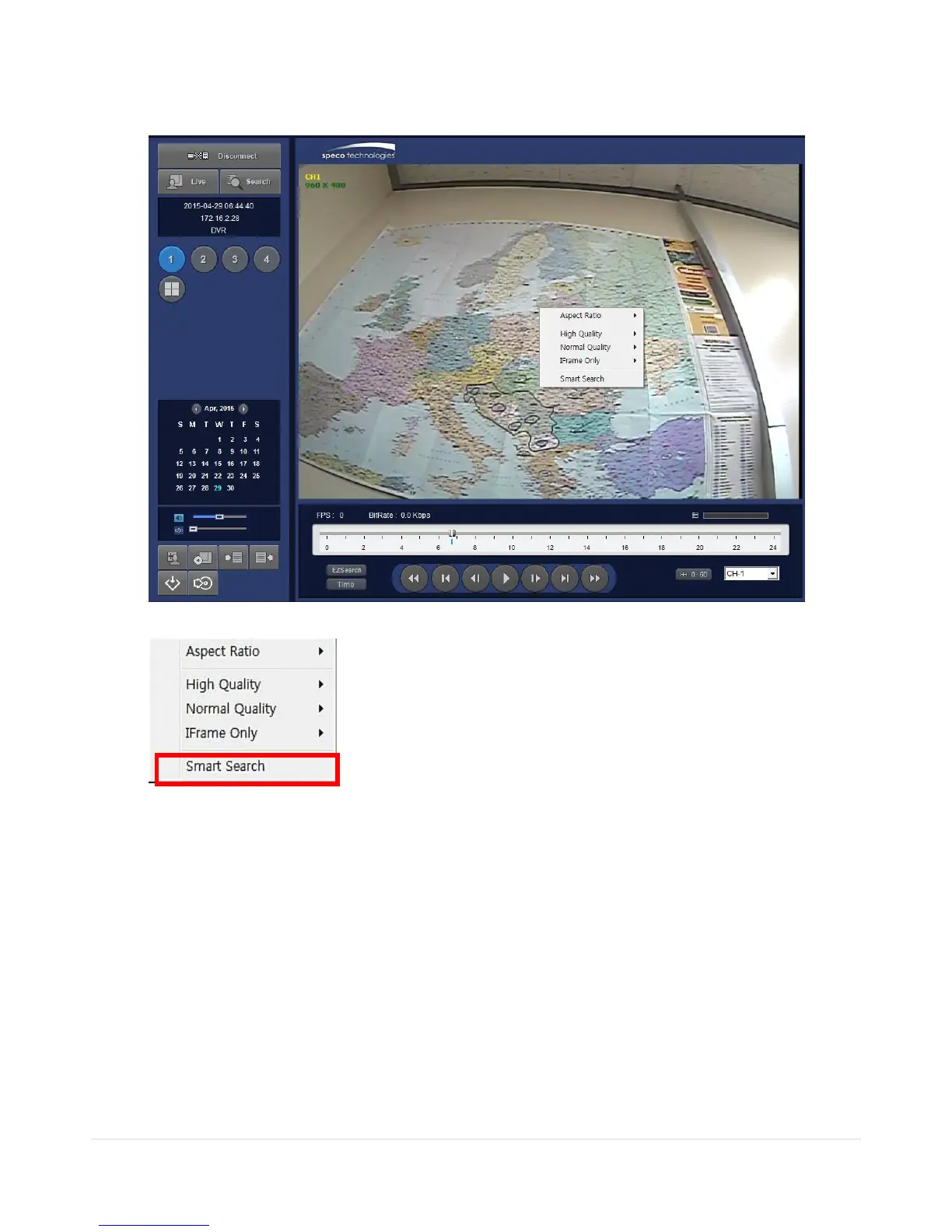
1) User can search with selected area
2) Click right mouse button when playback
3) ‘Smart Search’ will search in the selected area only.
4) ‘Smart Search’ checking the motion and event from the selected area.
5) User can set, Sensitivity, Internal, Thumbnail size, Date and Time



 To Next Page