53
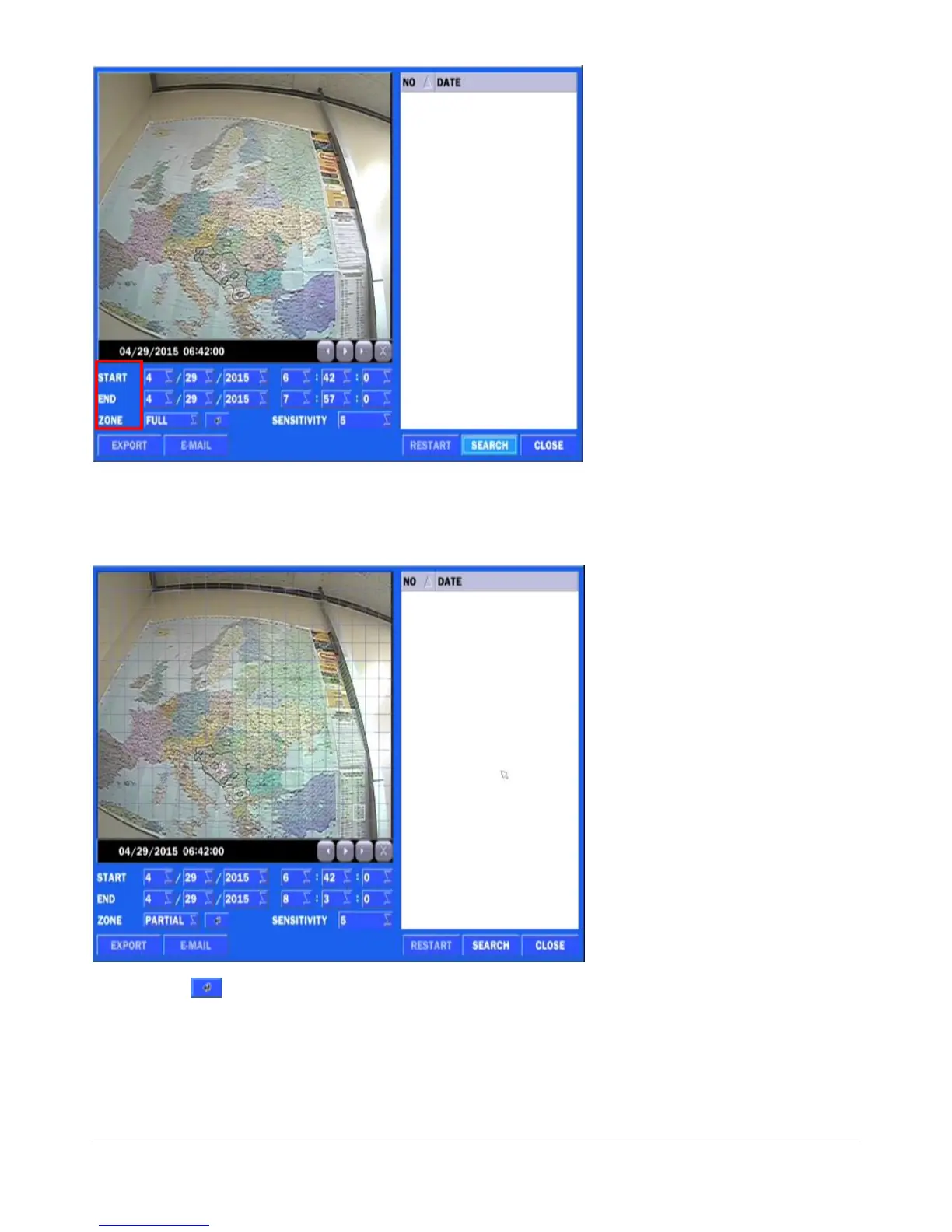
1) Select the start time and End time that user want to search
2) Set Zone as ‘Partial’ or ‘Full’
3) Partial zone can select the area that user want.
4) Click this after selection as ‘Partial’ then user can drag the area.
5) Click
right mouse button
when the area selection was finished.
6) Select ‘SEARCH’ then show the detected motion lists at the right blank.



 To Next Page