14
2-2. Setting up Daylight Savings Time
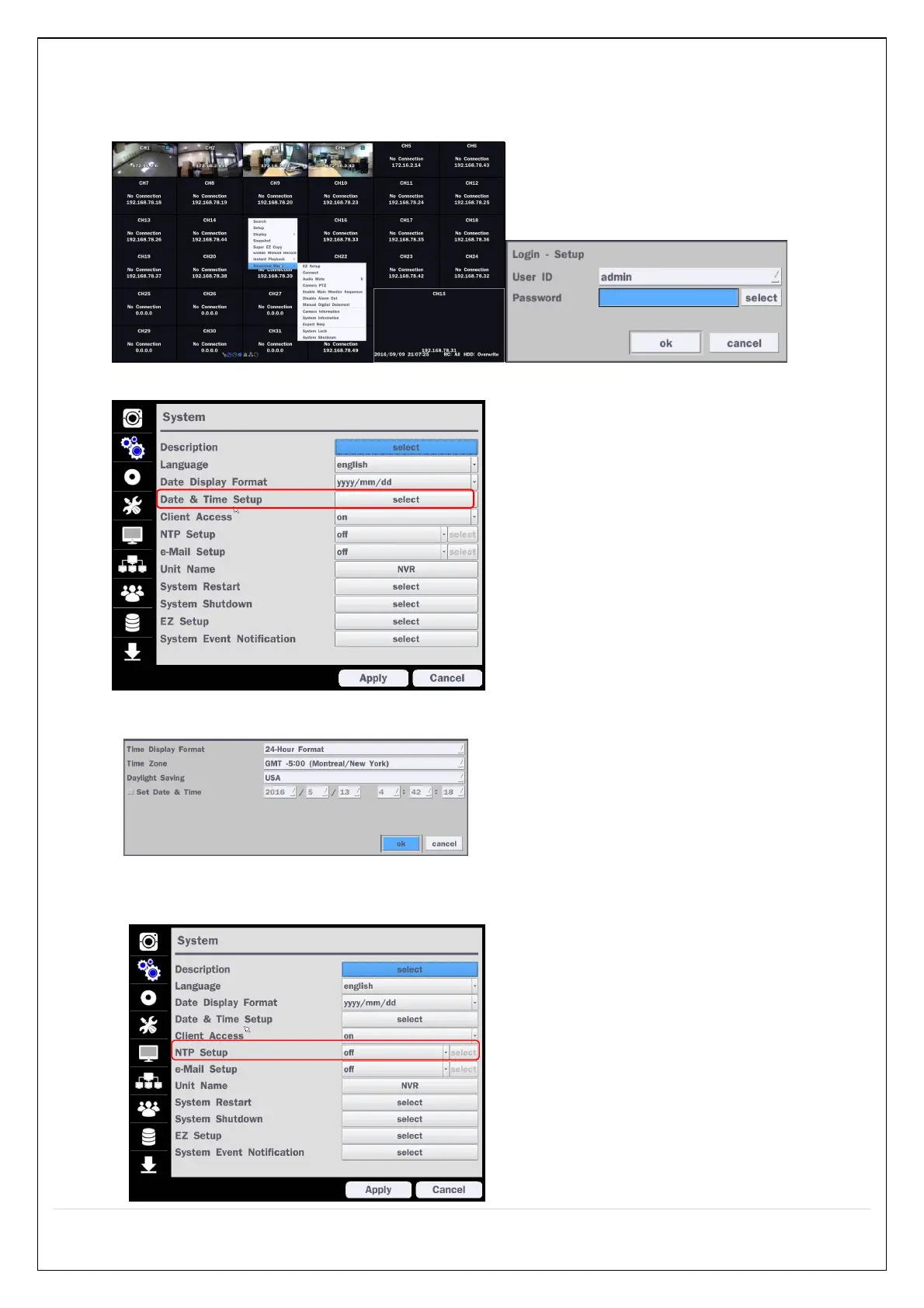
To enable Daylight Saving feature/NTP synchronization, take the following steps.
1. Enter the Setup mode. The default User ID is “admin”, and enter Password set on initial booting.
2. Go to Setup > System > Date & Time Setup
3. Select “on” from the Daylight Saving dropdown menu.
2-3. Setting NTP (Network Time Protocol)
1. Setup > System > NTP Setup > on


 To Next Page