94
5. Live video data is recorded as set in Record and Disk setup. These video data can be searched and
play-backed with Local Playback.
7-8-5. Local Playback and Remote Playback
7-8-5-1. Playback of Recorded Video on a Local PC
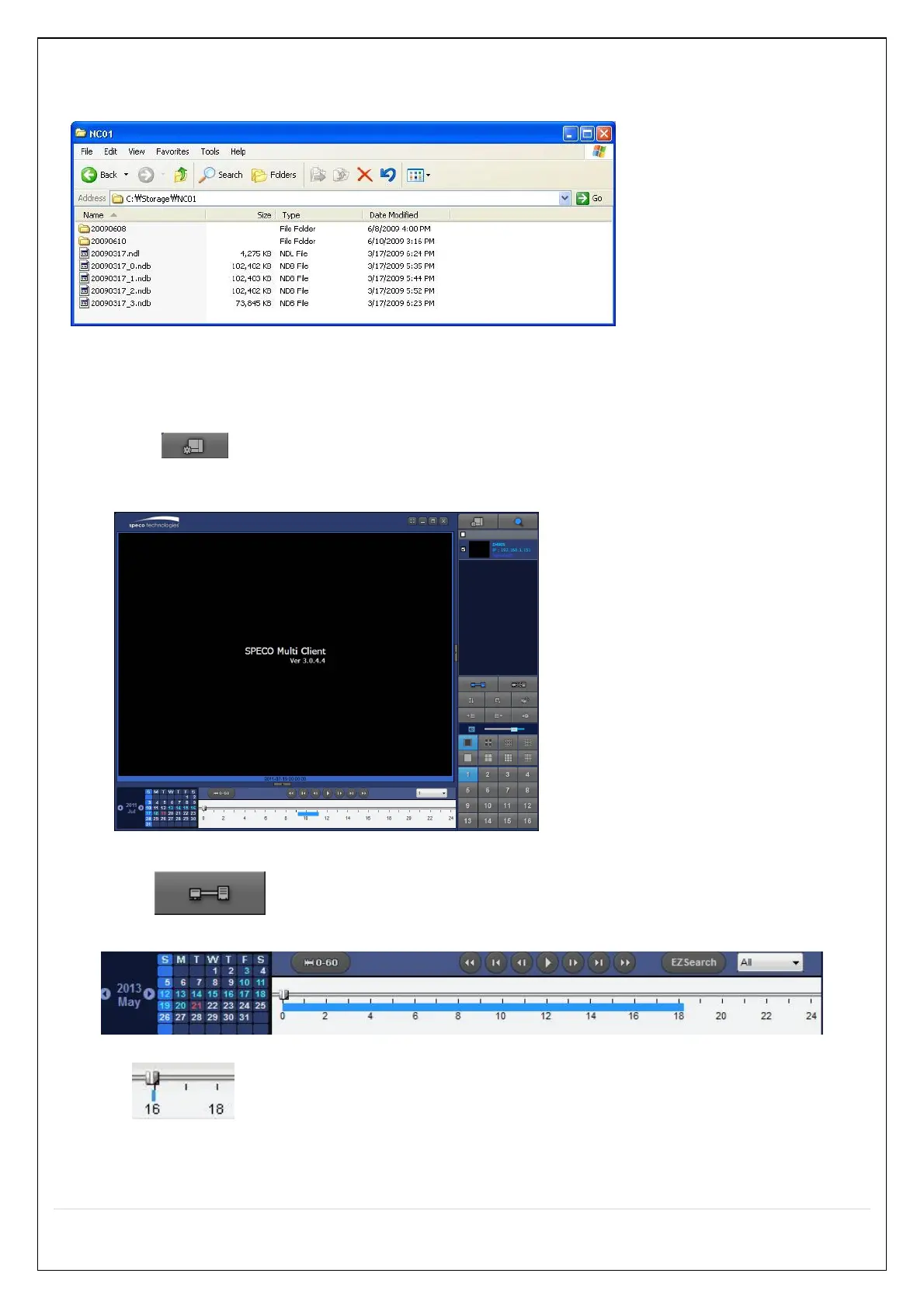
1. Click “Local Playback”. And then Playback Window will be displayed over the Live
Window.
2. Select site/sites to connect from the directory window.
3. Click “Connect” button. And then blue bar displays on Search calendar and
timeline scale window.
6. Move the marker on the timeline scale to where there is video data and press the PLAY button.
7. Video data that is recorded on local PC will be play-backed.


 To Next Page