44
4-4-2. Alarm Box and Keyboard Controller Setup
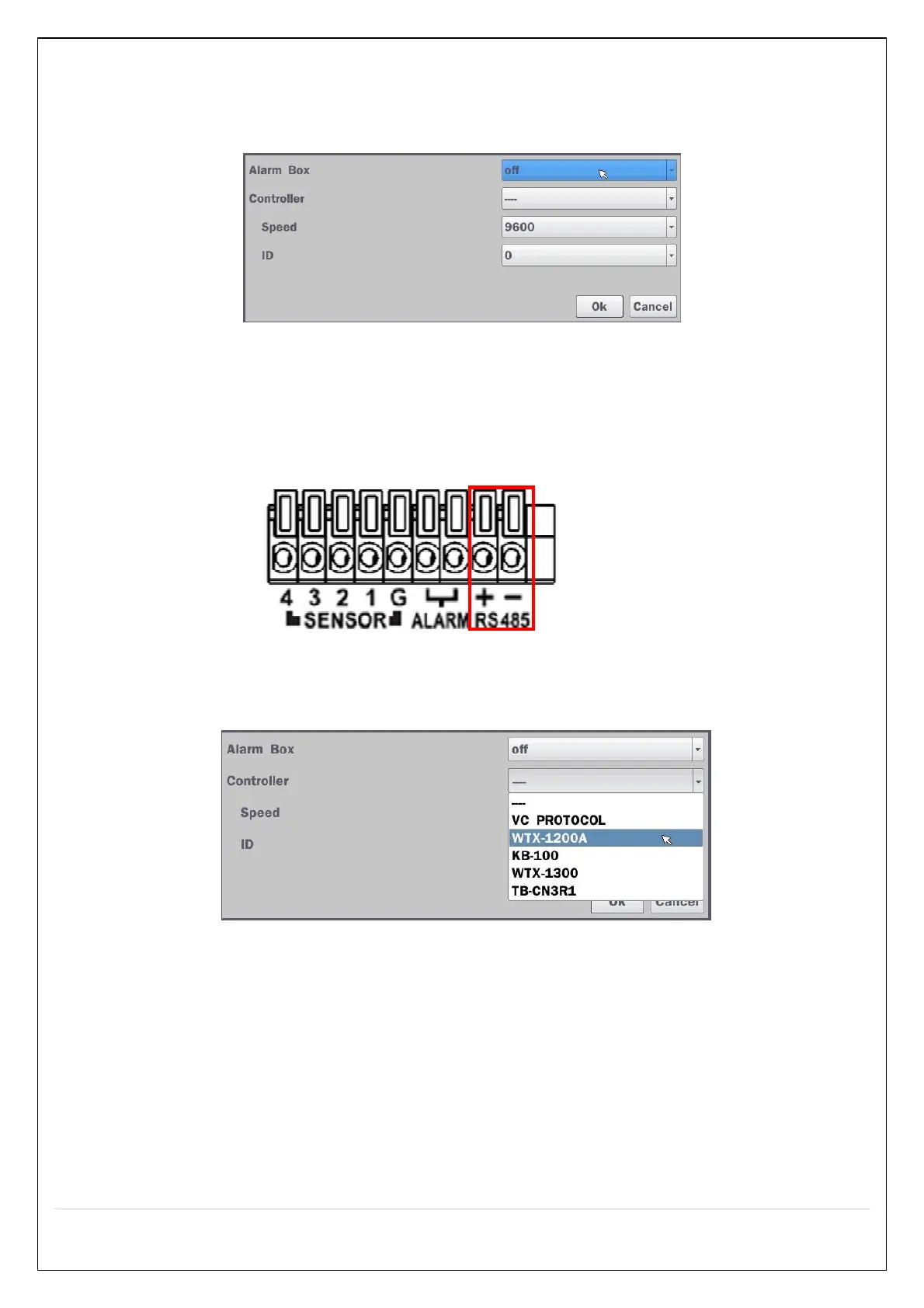
To use Alarm box, user has to set “on” the below screen menu and in case of “on” on this menu, the alarm
ports of NVR does not work.
Figure 4.4.2.1. Alarm Box Setup Screen
Connect the Keyboard controller to the RS-485 port on the back of the chassis with CAT5 (or equivalent)
cable.
① Connect the RS-485 cables of Keyboard controller to the RS-485 port on the rear panel.
Figure 4.4.2.2. Sensor, Alarm and RS-485 Setup Screen
② Open the Controller sub menu by selecting the submenu button.
Figure 4.4.2.3. Keyboard Control Setup Screen
Use the setup screen to select the following options for the Keyboard controller:
- Controller: Keyboard Controller Type
- Speed: 19200, 14400, 9600, 4800, 2400 (Baud rate)
- ID: 0-63
4-4-3. Motion Zone Setup
Select Motion Zone using the mouse or the remote control and select either Partial Zone or Full Zone using
the mouse control. The default value is Full Zone.



 To Next Page