46
Table 4.5.1. Menu Items in Display Setup Screen
Item Description
OSD Enable/Disable on-screen-display.
(Channel Name, Video Loss, Status Bar / Icon)
OSD Contrast Set the visibility level of the On Screen Display (OSD) (0~100)
Main Monitor
Sequence
Enable/Disable sequential display of video in full screen mode.
Sequence Dwell
Time
Set the dwell time of each,
single channel display in sequential display mode (3~60 seconds)
Site Select a channel to apply the name and covert settings change using the
mouse or the remote control.
Select a channel to apply the following settings using the mouse.
Name
Set the channel name. Press the right square button and set the channel
name and select OK using the mouse.
The name can be made up to 36 characters.
Covert
Enable/disable display of the specified video channel in live display.
Video Output Select 1280x720 or 1920x1080. 3840x2160 supports for only N32NS.
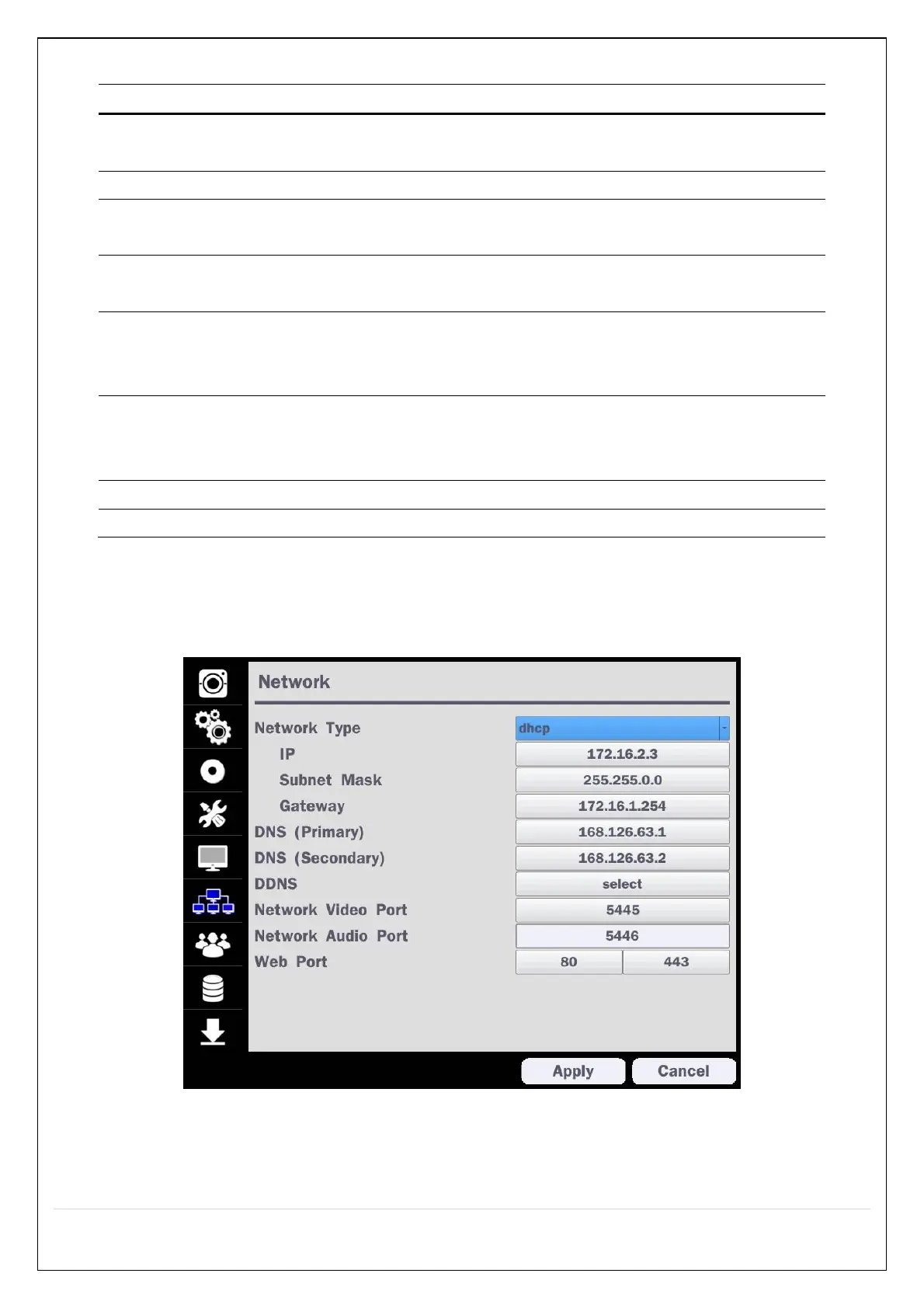
4-6. Setup – Network Mode
Select the Network tab. Then, the network menu is displayed as pictured below. Navigate through the menu
items or change the settings using the mouse or the remote control.
Figure 4.6.1. Network Setup Screen



 To Next Page