26
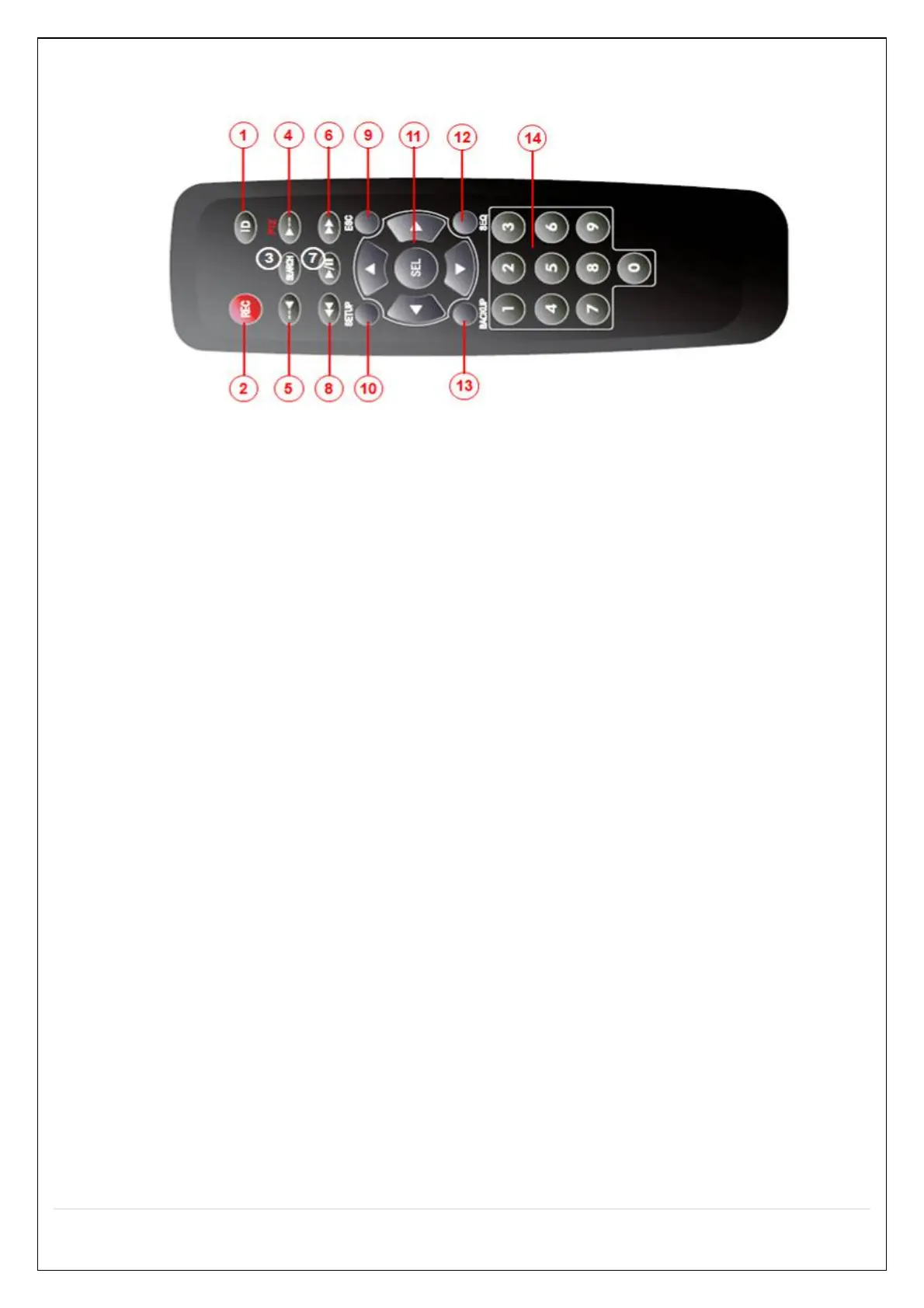
3-3. Remote Control
① ID: Used to set up the remote control ID.
② REC: To enable or disable manual recording mode.
③ SEARCH: Goes to SEARCH menu for playback options.
④ F/ADV:
During Playback – Moves the playback forward by 60 seconds.
During Pause – Moves the playback forward by 1 frame.
⑤ F/REW:
During playback – Moves the playback backward by 60 seconds.
During Pause – Moves the playback backwards by 1 frame.
⑥ FF: Increases playback speed (fast fowards).
⑦ PLAY/PAUSE: To play or to pause the recording in playback mode
⑧ REW: Plays video backwards (rewinds), additional selection increases backwards playback speed.
⑨ ESC:
During Setup – Returns to the previous menu screen.
During Playback – Exits playback mode.
System lock – Locks the system when pressing ESC button for 5 seconds.
System unlock – Unlocks the system when pressing ESC button for 5 seconds.
⑩ SETUP: Opens up the SETUP menu.
⑪ Direction buttons: Used to move menu items or select a channel.
⑫ SEQ: Starts auto sequence the screen when in full screen mode. (Toggle)
⑬ BACKUP: Start the backup operations in live or playback mode.
⑭ 0~9: Used to select channel (1,2,3,..) or to setup a NS Remote ID.
[N32NS Channel Key Scenario]
When press number1 to 9 button, it moves to Ch1 to Ch9 screen. And when press number 0 to 9
after pressed number 1, 2 and 3 within 2 seconds, it moves to Ch10 to Ch32. (For example, press 2 and 1
Ch21)



 To Next Page