90
7-8. Operation
7-8-1. Addition, Delete, and Modify of NS Sites
7-8-1-1. Addition of Sites
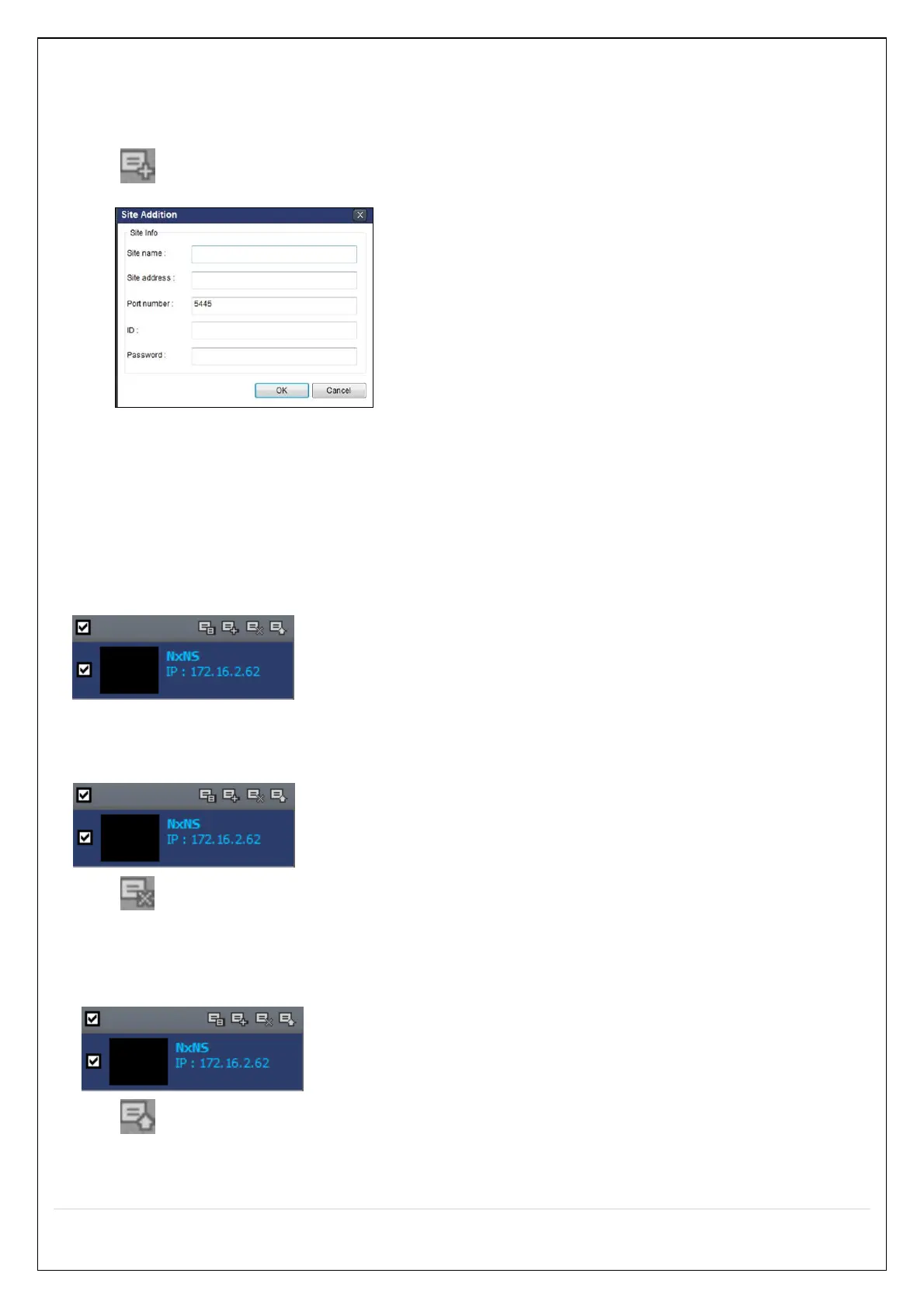
1. Click “Site Addition” button. And then the following window will be displayed as below.
o Site Name: Input a name that properly describes a site.
o IP Address: Input IP address (Public IP address of a router that NS is connected.) or Domain
name
o Port Number: Default Port Number is “5445”.
o ID: Input ID of NS. Default ID is “admin”.
o Password: Input network password of NS. Default Password is “1111”.
2. Click “OK” button. And then the registered site is added on the directory window.
7-8-1-2. Deleting a Site
1. Select the site/sites to delete from the directory window.
2. Click “Site Delete” button. And then the selected site/sites is/are deleted.
7-8-1-3. Modify of Sites
1. Select the site/sites to modify from the directory window.
2. Click “Net Finder” button. And then the following window will be displayed as below.



 To Next Page