18
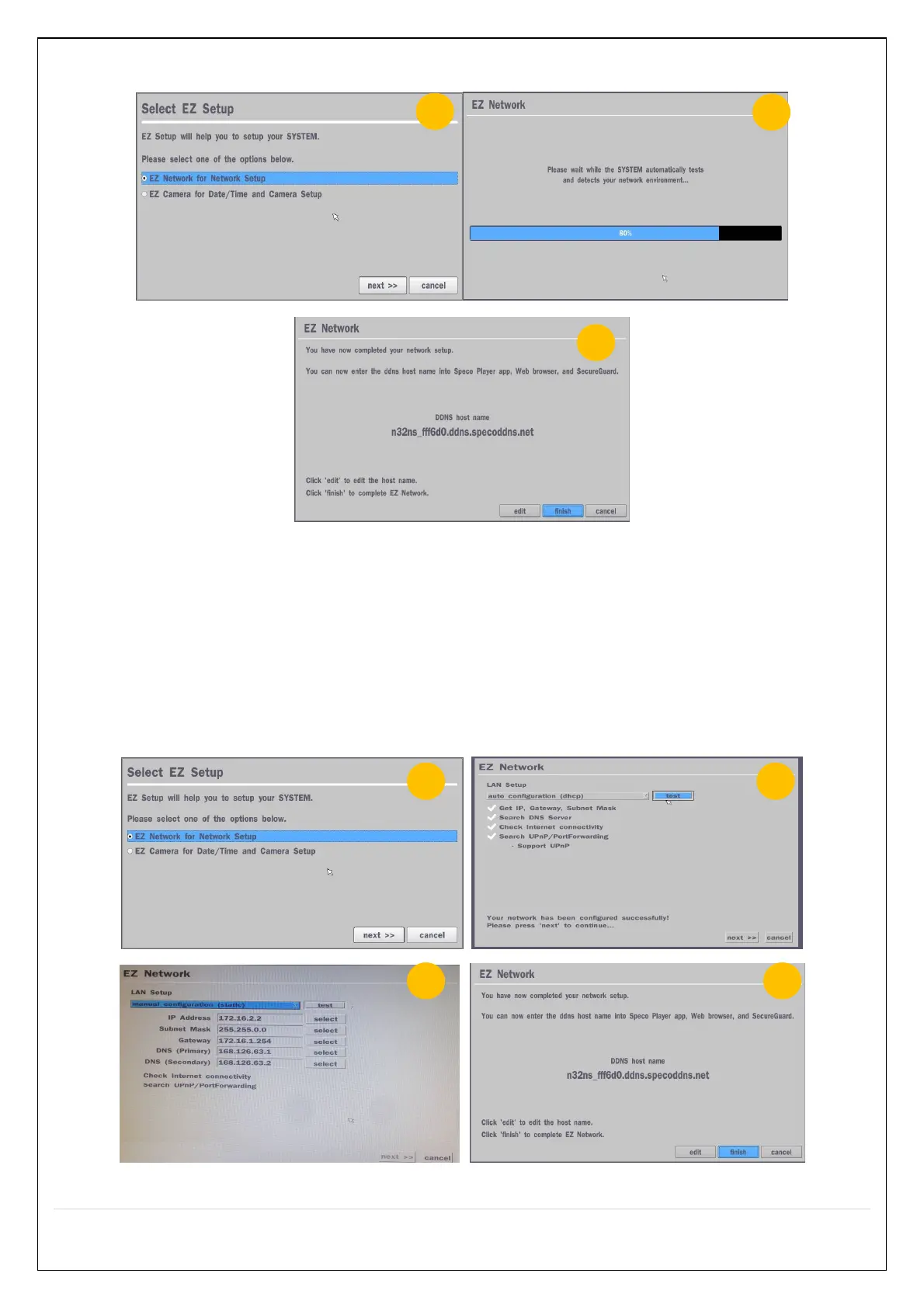
2.4.2 EZ Network (Using an internet connection)
Figure 2.4.2. EZ Network setup procedure
① Select EZ Network for Network Setup.
② NVR automatically trying to find an IP address.
③ Found address and user can edit the address.
④ Click “finish” to save the setup.
2.4.3. EZ Network setting (Not using internet connection)
Figure 2.4.3. EZ Network Setup – Manual Configuration Screen



 To Next Page