32
④ Double click the listed profile to apply.
⑤ Enter ID and PASSWORD of IP CAM. Registration is .completed.
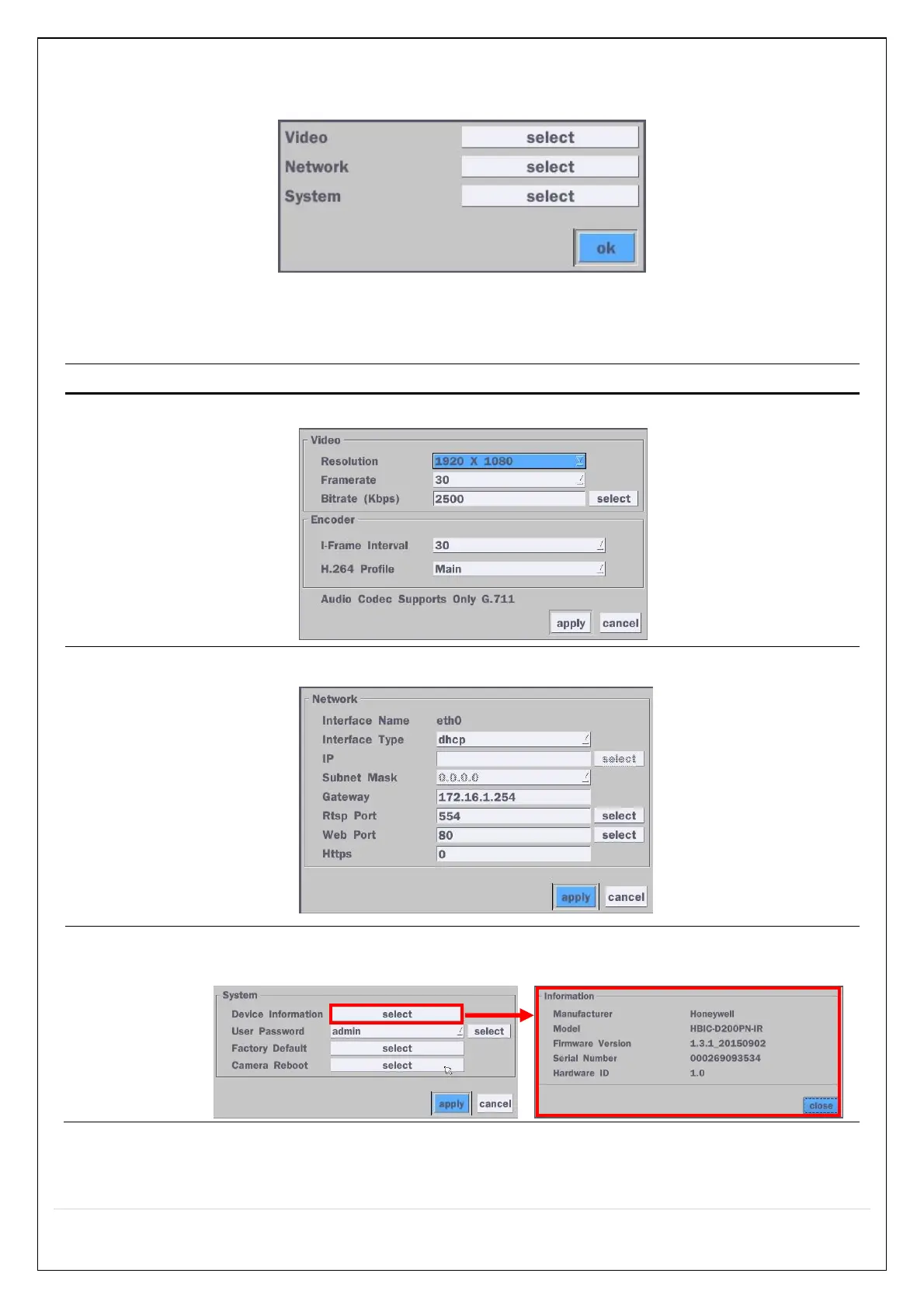
Figure 4.1.6 ONVIF Setup Window
Under ONVIF Setup, the following can be viewed and changed: VIDEO, NETWORK, SYSTEM settings.
Menu Item Description
VIDEO Video, Encoder to view and change to audio settings.
NETWORK View and change Network settings.
SYSTEM System information and change your password, factory reset and the camera is
rebooting.



 To Next Page