34
2.3.6.7 NFS
Network File System Server is used to share the USB disk with clients via network. Clients
can mount the remote disk to a local directory for a faster speed than using a Samba server.
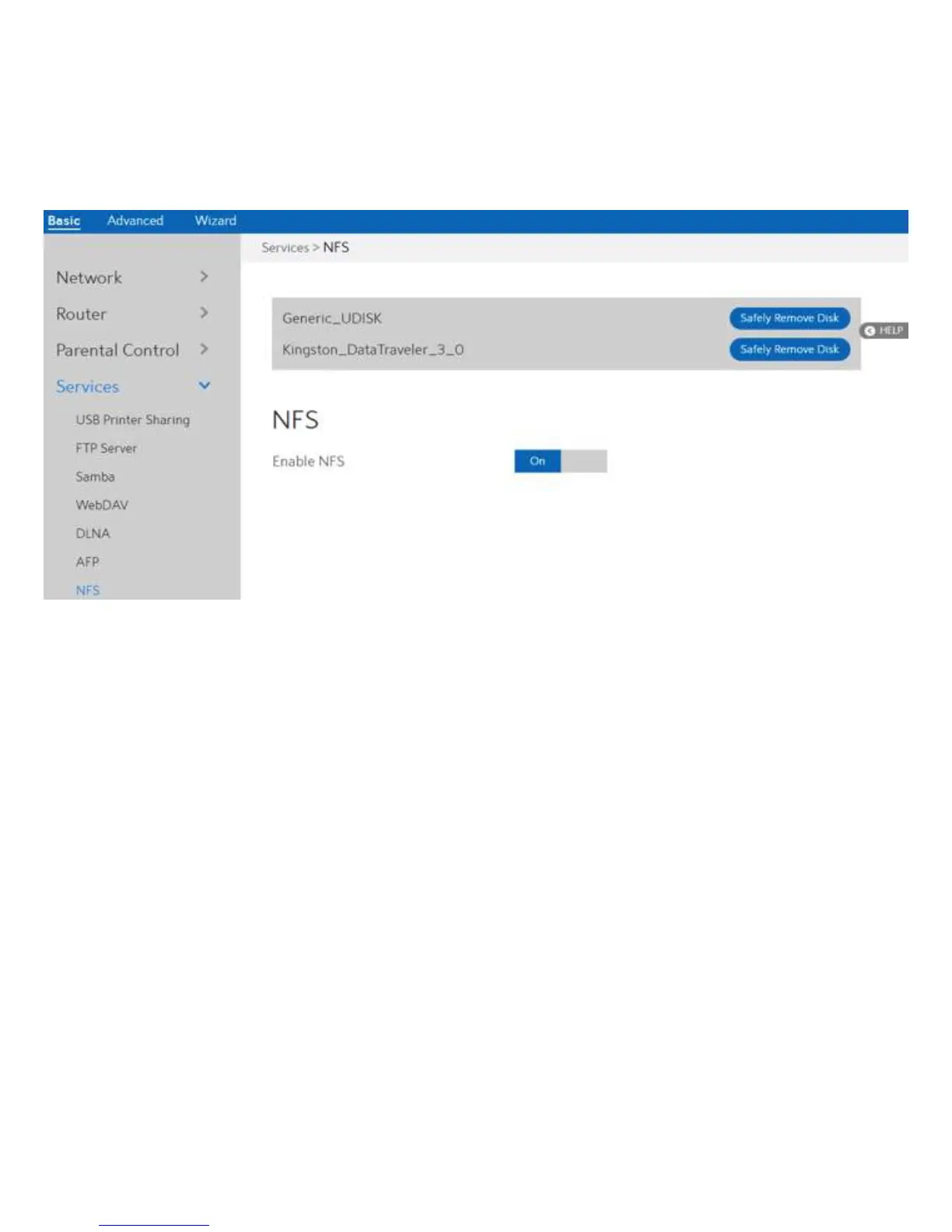
This page shows information about the NFS Server. To setup NFS, go to Advanced > Servers
> NFS.
Steps to set NFS:
1. From the navigation panel, go to Basic > Services > NFS.
2. Connect an external USB hard disk drive or USB flash drive to the WiFi Router, then
device’s name will be displayed here.
3. Enable NFS:
4. Safely Remove Disk:
Enable or disable NFS service. When disabled, users can't access the
USB storage via the NFS service.
Click to safely remove the disk. When the USB disk is ejected
successfully, the USB status shows 'No device '.

 To Next Page
 Loading...