Need help?
Do you have a question about the Spectrum 802.11ac Wave 2 and is the answer not in the manual?
An introduction to the WiFi Router's features, performance, and security.
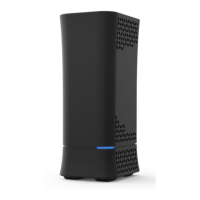
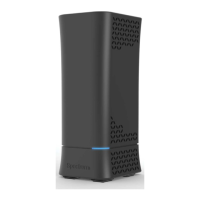
Details the contents of the package and identifies key hardware parts.
Covers front and rear panel features of the WiFi Router.
Provides guidelines for positioning the router for best wireless coverage.
Steps to access the router's web-based graphical user interface for configuration.
Utilizes a wizard for simplified initial configuration of the WiFi router.
Basic settings related to the router's core functionality.
Instructions for easily connecting devices using Wi-Fi Protected Setup.
Configuring LAN IP, Subnet Mask, and WAN connection types.
Basic settings for wireless network configuration.
How to set up and use a printer connected via the router's USB port.
Configuring FTP, Samba, WebDAV, DLNA, AFP, and NFS for network access.
Advanced settings for Internet connection types, DDNS, UPnP, Port Triggering, Forwarding, DMZ, NAT Pass Through.
Advanced configuration for LAN IP, Subnet Mask, and DHCP server.
Advanced wireless options for radio, security, and access control.
Settings for IPv6, multicast, and static NAT routing.
Configuring PPTP, OpenVPN servers and VPN client profiles for secure access.
Configuring firewall rules, service filters, and client access control.
Optimizing wireless performance and managing general QoS traffic priorities.
Configuring traffic queues and classification rules for QoS.
Managing administrative settings, router configuration, logs, and reboots.
Utilizing network diagnostic tools and Wake on LAN functionality.
Viewing system, WAN, LAN, wireless client, and DHCP lease status.
Displaying routing tables, connection lists, and IPv6 network details.
Details FCC compliance, interference limits, and radiation exposure guidelines.
 General
| Brand | Spectrum |
|---|---|
| Model | 802.11ac Wave 2 |
| Category | Network Router |
| Language | English |

 To Next Page