IM-P343-37 CTLS Issue 4
32
start of text under grey section header box
start of text continuing from previous page
TRANSLATION RUN OVER
SP400 Electropneumatic Smart Positioner
9.4.1 TRAVL - % travel display
•
Programming notes
Press key to access TRAVL.
Provides selection of % valve travel display with option of 0 - 100% or 100 - 0%.
Default is 0 - 100%.
Use and keys to toggle selection.
Press key to return to AUTOS.
Commissioning notes
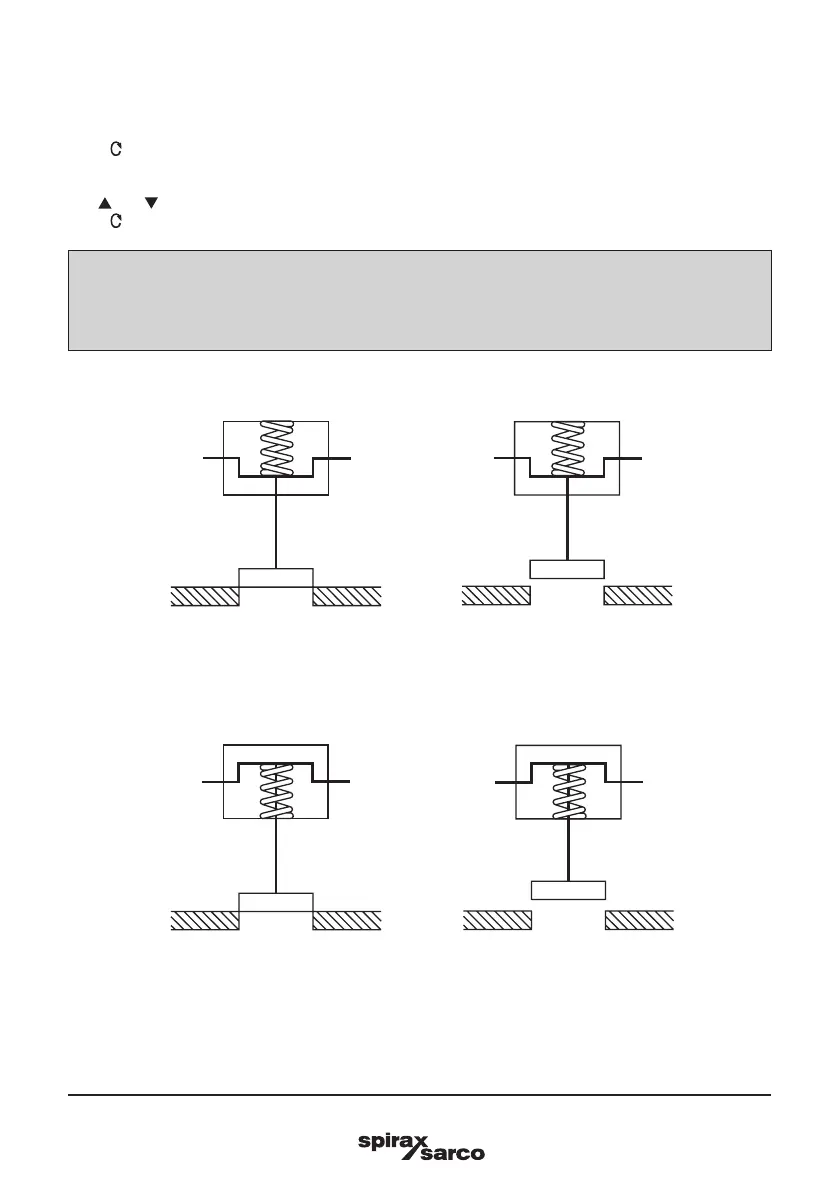
The selection of % valve travel display depends on the valve and actuator configuration. Figures 33
to 36 and Figures 37 and 38 (page 34) provide guidance on selection. After completion of AUTOS if a
change is made to TRAVL it will be necessary to initiate an AUTOS routine once again.
Display = 0%
Display = 100%
Display = 0%
Display = 100%
Fig. 33
2-port valve normally closed - TRAVL setting = 0 to 100%
Fig. 34
2-port valve normally open - TRAVL setting = 0 to 100%



 To Next Page