IM-P736-02 EMM Issue 3
33
VLM30 In-Line Vortex Flowmeter
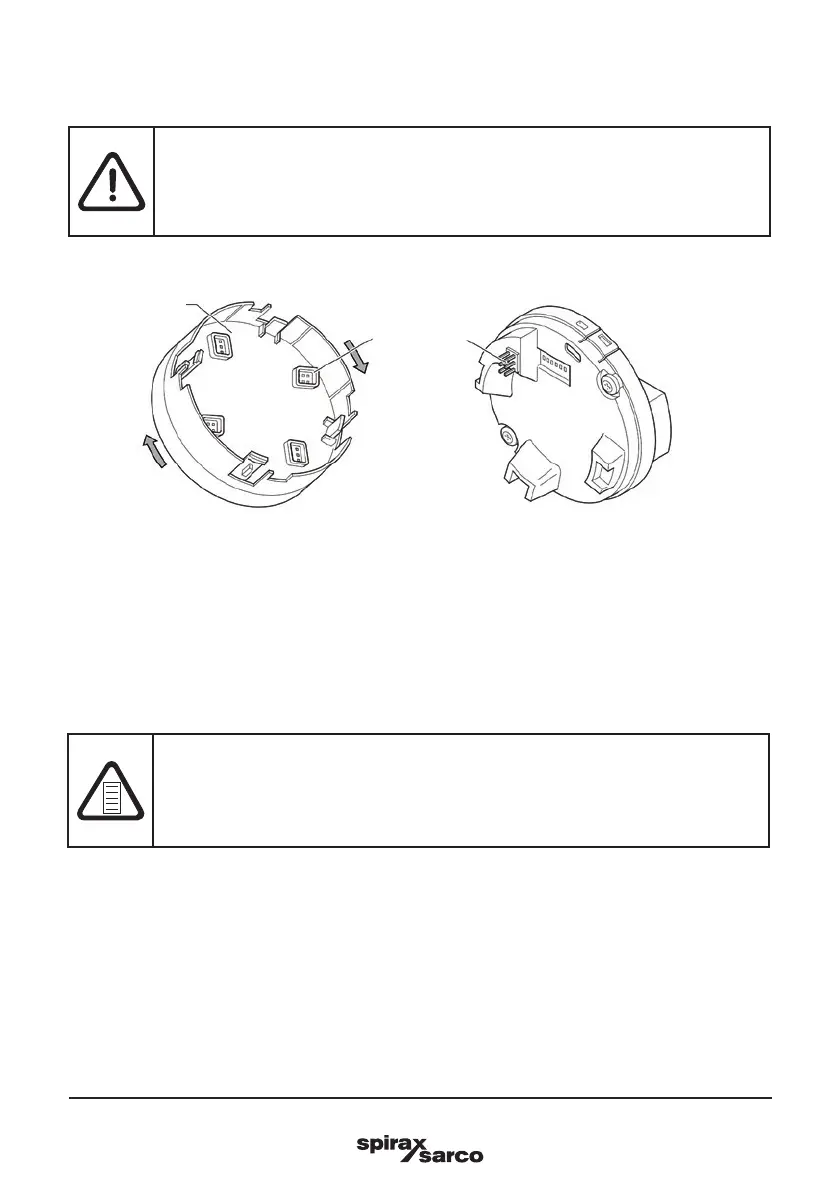
The LCD indicator can be rotated in 90° increments to make it easier to read and operate.
-
Unscrew the front housing cover.
-
Pull out the LCD indicator and place it in the desired position.
-
Tighten the screws on the front of the housing cover handtight.
Fig. 17 Rotating the LCD indicator
NOTE
Potential adverse effect on the IP rating!
If the O-ring gasket is seated incorrectly or is damaged, this may have an adverse effect
on the IP rating.
- Check that the O-ring gasket is properly seated when closing the housing cover.
3.12 Rotating the LCD indicator
Warning!
Risk of injury due to live parts!
When the housing is open, contact protection is not provided and EMC protection is
limited.
- Before opening the housing, switch off the power supply.
LCD Indicator
Plug-In
connector



 To Next Page