IM-P736-02 EMM Issue 3
55
VLM30 In-Line Vortex Flowmeter
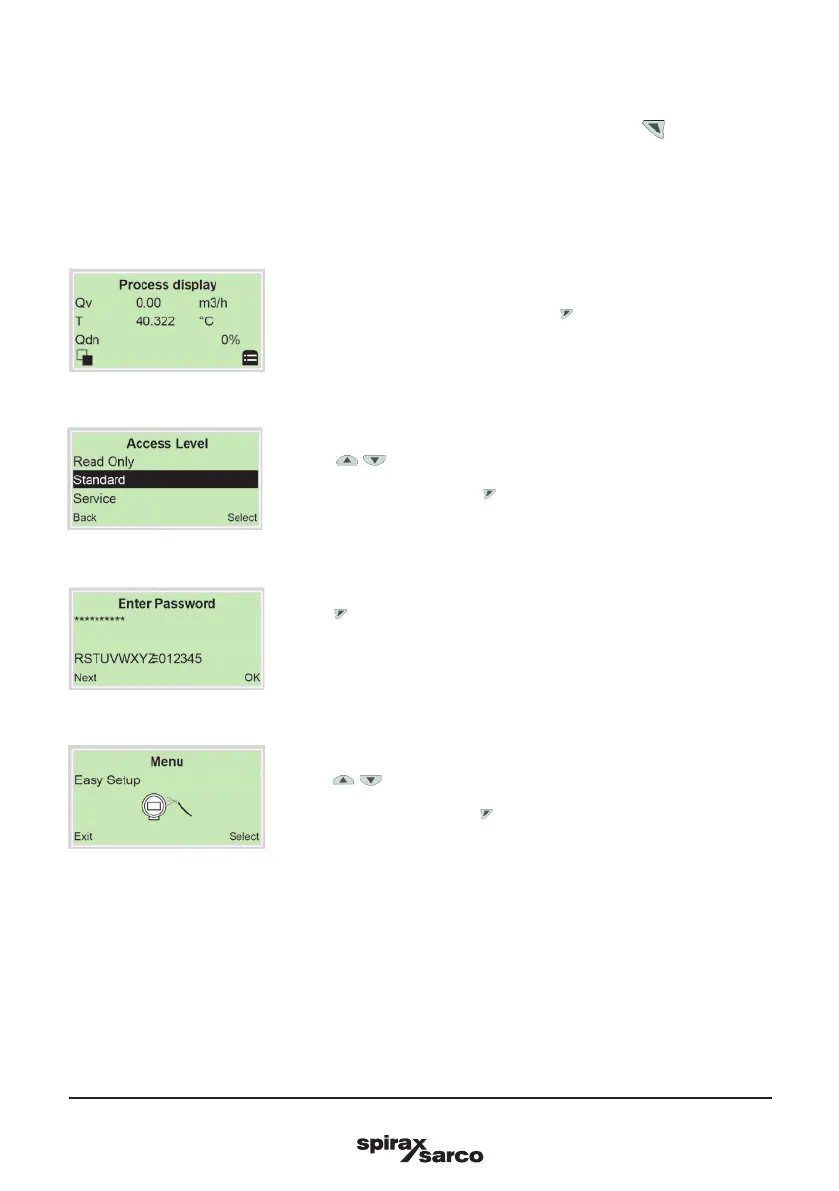
4.8 Parameterisation via the menu function Easy Setup
Settings for the most common parameters are summarised in the ‘Easy Setup’ menu. This menu provides
the fastest way to configure the device. The next respective parameter is called out by (Next).
Note: The LCD display is provided with capacitive control buttons. These enable you to control the device
through the closed housing cover.
4.8.1 Open the Menu Easy Setup
2. Use / 'Standard' to make the selection.
3. Confirm the selection with .
5. Use / 'Easy Setup' to make the selection.
6. Confirm the selection with .
1. Switch to the configuration level using .
4. Use to confirm the password. A password is not available as
factory default; you can continue without entering a password.
Note: For security reasons it is recommended, to set a password.



 To Next Page