UM1075 Rev 10 9/20
UM1075 Hardware configuration
19
4.1 Connection with STM8
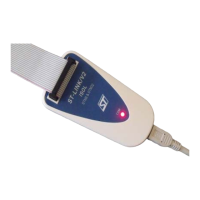
For the development of applications based on STM8 microcontrollers, the ST-LINK/V2 can
be connected to the target board by two different cables, depending upon the connector
available on the application board.
These cables are:
• A SWIM flat ribbon with a standard ERNI connector at one end
• A SWIM cable with two 4-pin, 2.54 mm connectors or SWIM separate-wire cables
4.1.1 Standard ERNI connection with SWIM flat ribbon
Figure 5 shows how to connect the ST-LINK/V2 if a standard ERNI 4-pin SWIM connector is
present on the application board.
Figure 5. ERNI connector
1. A = Target application board with ERNI connector
2. B = Wire cable with ERNI connector at one end
3. C = STM8 SWIM target connector
4. See Figure 11
Figure 6 shows that pin 16 is missing on the ST-LINK/V2-ISOL target connector. This
missing pin is used as a safety key on the cable connector, to guarantee the correct position
of the SWIM cable on the target connector even pins used for both SWIM and JTAG cables.


 To Next Page