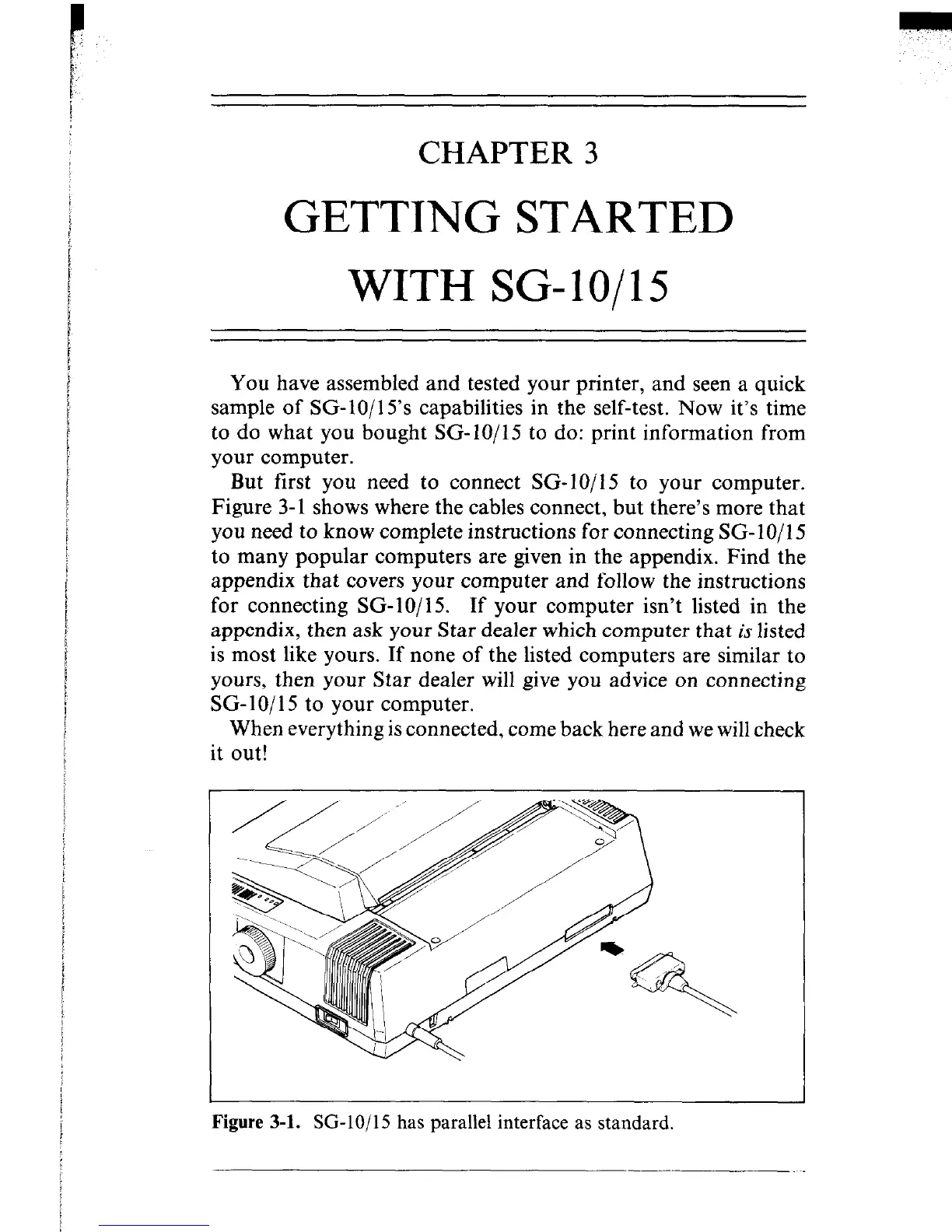
Figure 3-1. SG-lo/15 has parallel interface as standard.
CHAPTER 3
GETTING STARTED
WITH SG-lo/15
You have assembled and tested your printer, and seen a quick
sample of SG-10/15’s capabilities in the self-test. Now it’s time
to do what you bought SG-IO/15 to do: print information from
your computer.
But first you need to connect SG-IO/I5 to your computer.
Figure 3-l shows where the cables connect, but there’s more that
you need to know complete instructions for connecting SG- 10/l 5
to many popular computers are given in the appendix. Find the
appendix that covers your computer and follow the instructions
for connecting SG-10/15. If your computer isn’t listed in the
appendix, then ask your Star dealer which computer that is listed
is most like yours. If none of the listed computers are similar to
yours, then your Star dealer will give you advice on connecting
SG-IO/l5 to your computer.
When everything is connected, come back here and we will check
it out!











 To Next Page