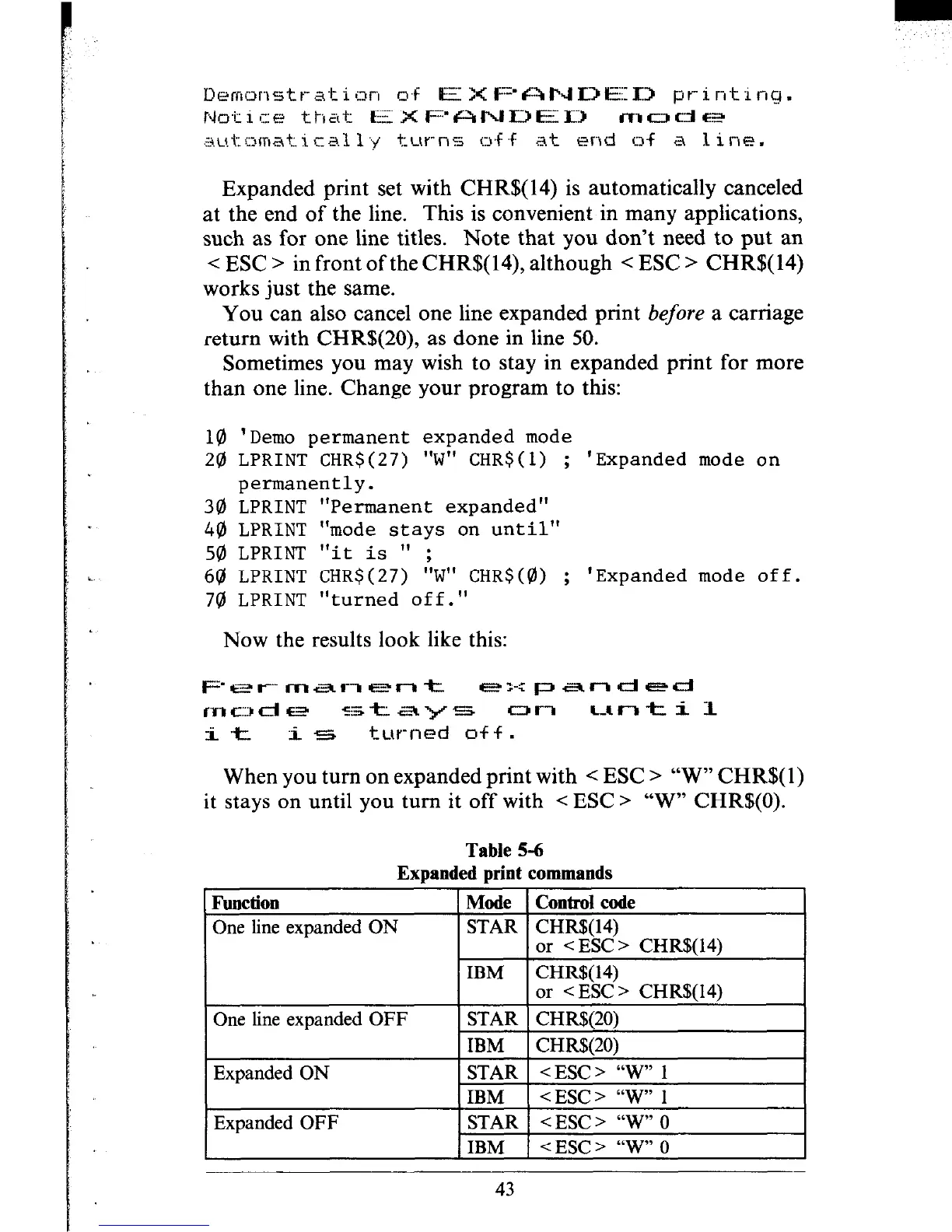
Expanded print set with CHR$(14) is automatically canceled
at the end of the line. This is convenient in many applications,
such as for one line titles. Note that you don’t need to put an
< ESC > in front of the CHR$( 14), although < ESC > CHR$( 14)
works just the same.
You can also cancel one line expanded print before a carriage
return with CHR$(20), as done in line 50.
Sometimes you may wish to stay in expanded print for more
than one line. Change your program to this:
10 'Demo permanent expanded mode
20 LPRINT CHR$(27) "W" CHR$(l) ; 'Expanded mode on
permanently.
30 LPRINT "Permanent expanded"
44) LPRINT "mode stays on until"
50 LPRINT "it is 11 ;
69 LPRINT CHR$(27) "W" CHR$(@) ; 'Expanded mode off.
741 LPRINT "turned off."
Now the results look like this:
When you turn on expanded print with < ESC > “W” CHR$( 1)
it stays on until you turn it off with < ESC > “W” CHR$(O).
Table 5-6
Expanded print commands
Function
One line expanded ON
Mode Control code
STAR CHR$(14)
or <ESC> CHR$(14)
One line expanded OFF
IBM
CHR$( 14)
or < ESC > CHR$(14)
STAR CHR$(20)
IBM
CHRSBO)
Expanded ON
Expanded OFF
STAR <ESC > “W” 1
IBM
<ESC> “W” 1
STAR < ESC > “w” 0
IBM < ESC > “W” 0
43











 To Next Page