The program works just the same as before, but the line spacing
are just half (STAR mode) or one-third (IBM mode) what they
were. This is because < ESC > “3” CHR$(n) sets the line spacing
to n/144 inch in the STAR mode, or n/216 inch in the IBM mode.
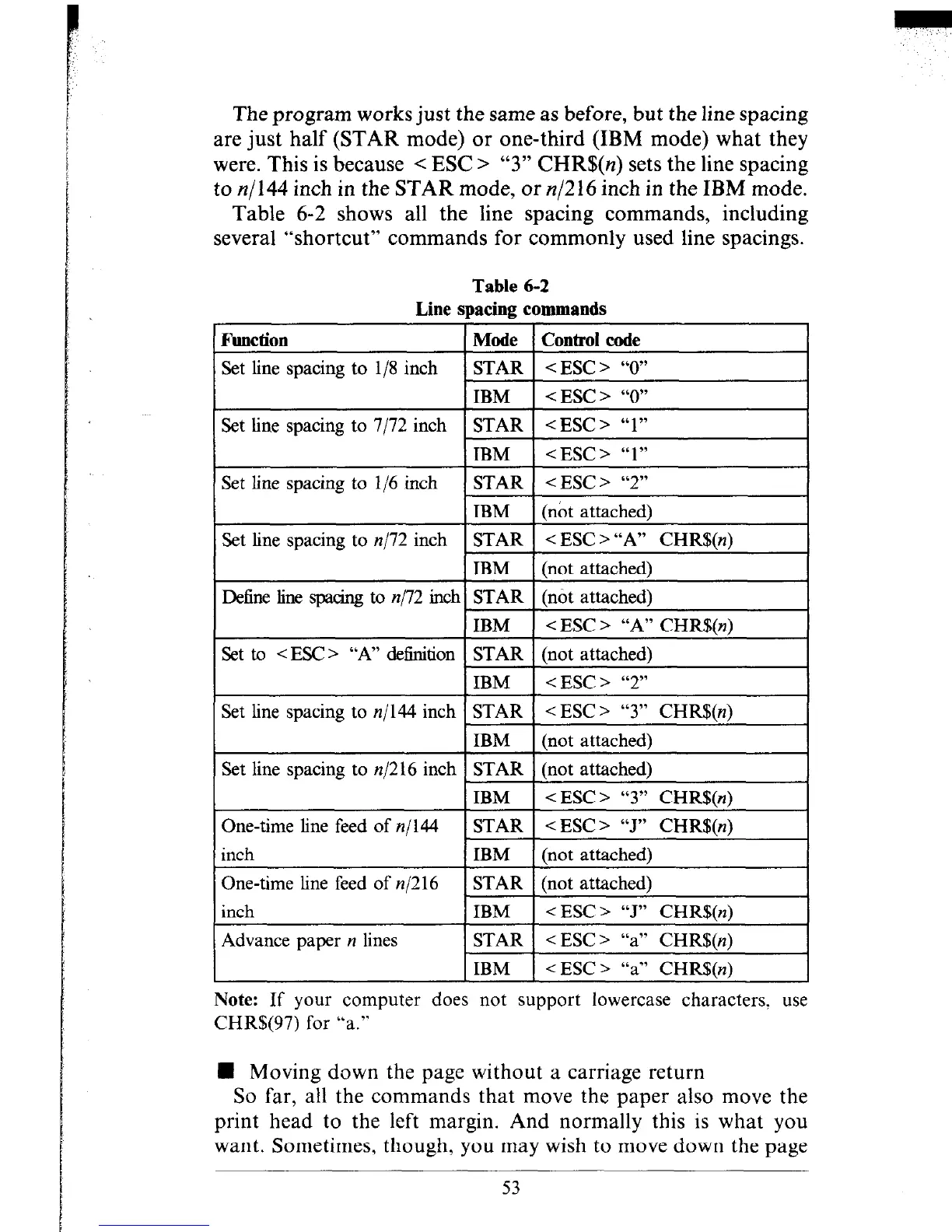
Table 6-2 shows all the line spacing commands, including
several “shortcut” commands for commonly used line spacings.
Table 6-2
Line spacing commands
Set line spacing to n/l2 inch
Note: If your computer does not support lowercase characters. use
CHR$(97) for “a.”
H Moving down the page without a carriage return
So far, all the commands that move the paper also move the
print head to the left margin. And normally this is what you
want. Sometimes, though, you may wish to move down the page











 To Next Page