7
Analog Display
CALC Formula or Table Measurement
SET Programming or Setup
- + Travel Positive
+ - Travel Negative
DATA Send or Store Measurement
2ND Secondary Button Functions
RATIO Ratio Measurements
ON Zero Powers indicator ON. Zeros / clears reading
a. To Power Indicator On: Press & Release ON ZERO
b. To Clear / Zero Display: Press & Release ON ZERO
when LCD is On. (Zero on Release of Button)
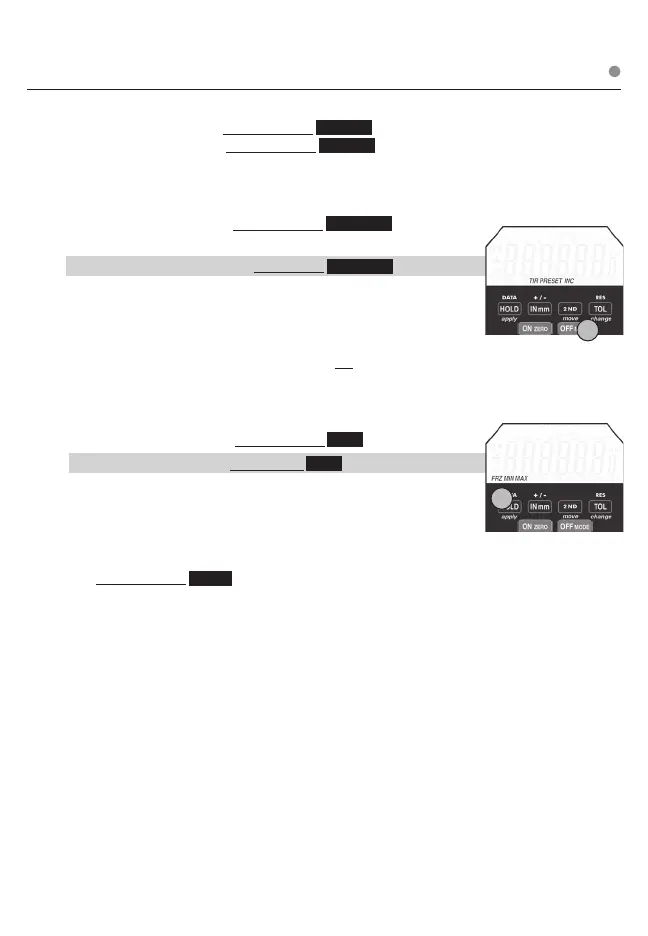
OFF MODE Powers indicator OFF. Changes MODE from INC, PRESET, & TIR
a. To Power Indicator OFF: Press & Release OFF MODE
(position & settings are not lost when indicator is off)
b. To Change Indicator MODE: Press & Hold OFF MODE The LCD
ICONs will change from INC to PRESET to TIR. Release button when
the desired MODE ashing on LCD. See 2nd (secondary) function .
page for using PRESET or TIR
c. OFF can be used to exit programming functions (Ratio, Tolerance,
Presets, Radio, Lock). Using OFF to exit will not apply changes.
HOLD Toggles HOLD on & off. Changes HOLD from MAX (Maximum
Reading), MIN (Minimum Reading) & FRZ (Freeze Reading)
a. To Toggle HOLD On /Off: Press & Release HOLD
b. To Select Type of HOLD: Press & Hold HOLD . The LCD ICONs scroll
through MAX to MIN to FRZ. Release button when desired HOLD
function is ashing on LCD
IN mm Controls the display units (default is English)
a. To Change From Inch To Millimeter Or Millimeter To Inch:
Press & Release IN mm
b. mm for millimeter (metric) or IN for inch (English) will appear on
right side of display.
2ND Enables 2ND functions ( DATA, + / -, RES) & 3rd functions
(Lock, Stored Readings, Analog Display, Data Output, Ratio)
View Sections on 2nd Button Functions & 3rd Button Functions
Primary BUTTON FUNCTIONS
1
1
Press & Release ❍ Press & Hold












 To Next Page