16
To view manuals, videos, drivers, downloads, technical drawings, and more visit www.startech.com/support
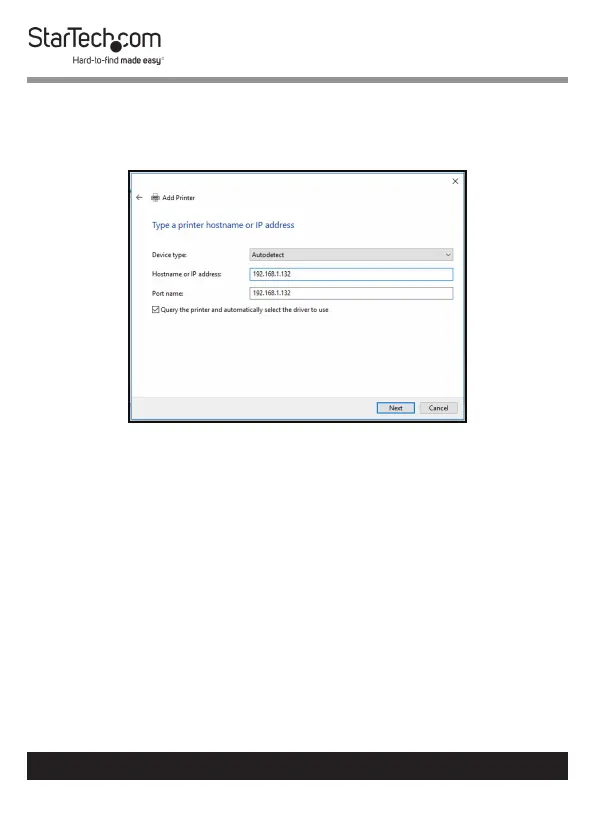
5. On the Hostname or IP address eld enter the IP address
assigned to the print server, then click the Next button,
Windows will detect the TCP/IP port and move to the next
screen automatically.
Add Printer Screen
6. Set the Device Type eld to Custom, then click Settings.


 To Next Page